AddedMultiply rule -- point i joins point i × k, the times table on a circle. Whole numbers give the cardioid and its cousins; slide between them and the curve morphs.
AddedCurve -- bow every line toward the center or away from it.
AddedCorner curve -- points along two arms meeting at any angle from 15° to 165°, each arm as long as you like, each point joined to its opposite. The classic string-art parabola, and every step beyond it.
AddedLibrary -- save patterns by name and load them later on any device signed into your iCloud account; update, rename, delete, or share each one as a link.
AddedBuilt-in patterns -- nine ready-made patterns in the Library, from the cardioid to a thirteen-month clock. Load one, save a copy to change, or share it as a link.
AddedShare Link -- send a pattern's definition rather than a picture; opening the link in Vesica loads it ready to edit.
AddedLayers -- nest up to eight, each with its own shape, rule, size, rotation, position, mirror, curve, and spin. New layers size themselves to fit inside the one before; moving a layer in or out adjusts sizes with it.
AddedFreeform symmetry -- draw one stroke and repeat it around the center with 2 to 12 folds, with an optional mirror. Change the folds after drawing and the loop updates.
AddedDraw on a turning wheel -- with spin or tilt on, the canvas rotates under your finger while you draw.
AddedBlend modes -- Normal and Multiply for light backgrounds, Screen and Lighten for dark ones.
AddedSpin -- flick to coast, or set a steady clockwise or counterclockwise turn. Reverse any layer to turn it against the rest, flicks included, give it its own speed, or hold it still.
AddedOrbit and mirror -- move a layer off center and it circles the middle as it spins, turning with its orbit or staying upright. Mirror it across either axis, or both, and the reflections turn the other way.
AddedFull View -- hide the controls and let the art fill the window (Shift-Command-F on the Mac; Escape to return).
AddedHaptics for counts ticking, a multiplier landing on a whole number, and a flick letting go.
AddedSVG and PDF export, true vector files for plotters, cutters, and design tools, alongside the PNG and wallpaper exports.
AddedAnimated SVG -- every spinning layer keeps turning at its own speed and direction, orbits and mirrors included, looping without a seam. Barely larger than a still SVG; plays in web browsers.
AddedString Template -- a printable PDF with every nail numbered at the size you choose, plus the winding order for each thread and how much of each color to buy. Offered when every layer's lines are straight.
AddedA native Mac app, with the same patterns, controls, and exports.
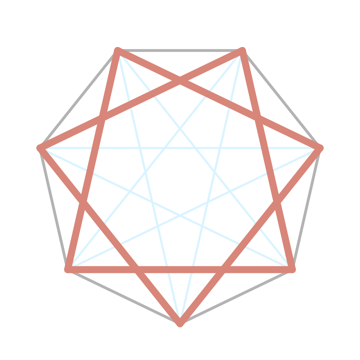
AddedA new app icon drawn from the app's own geometry; the app opens to that same pattern.
ChangedTilt now works with freeform drawings too.
ChangedConnection colors and weights are edited from a context menu instead of a long press that also toggled the step.
ChangedLayers sit in a strip under the canvas, with Shape, Lines, Position, and Spin tabs beside the art instead of a separate sheet.
ChangedStopping the spin puts every layer back where it started; Rotation is locked while Spin is on.
ChangedConfirmation before deleting a layer; Reset Position and Spin in the layer menu puts a layer back to its defaults.
ChangedLabels and 44-point targets throughout for VoiceOver and Switch Control.
FixedChanging the point count no longer erases a freeform drawing, and drawings stay in place when the device rotates.
FixedGuide dots and outline no longer flicker while stepping.