
text player
Say it
without a sound.
Type a message, turn your iPhone on its side, and hold it up. text player shows it one word at a time, big enough to read from the far side of a gym, a library, or a crowded room. Rapid serial visual presentation, the speed-reading trick, turned into a way to talk to someone who can't hear you.
For iPhone and iPad. Requires iOS 26 or iPadOS 26 or later. No ads, no account.
Inspiration
Halftime, from the bleachers.
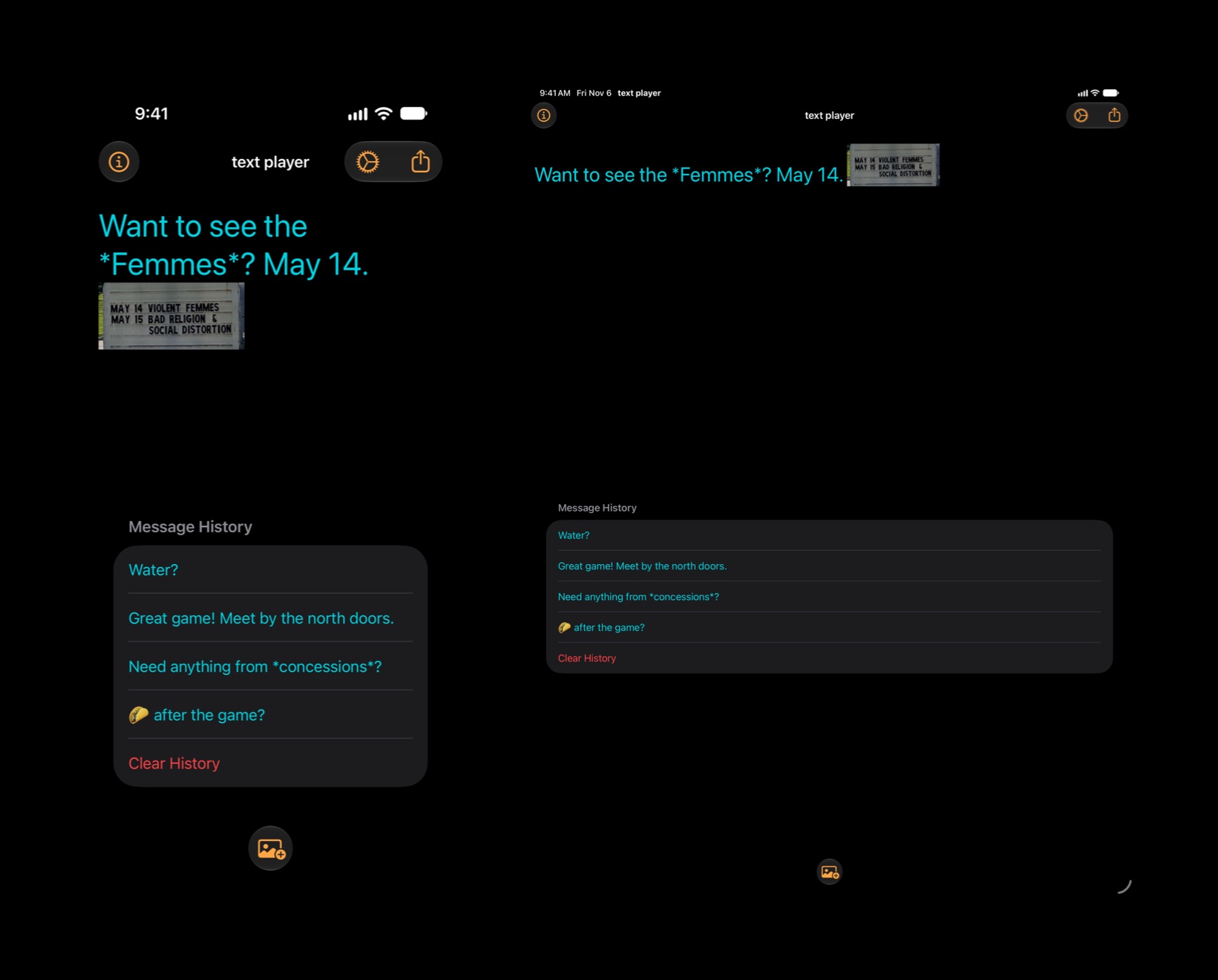
During warmups I'd want to ask my kid, down on the floor, whether he needed anything from concessions. Charades is a fun-enough game, but not for us introverts in crowded gymnasiums. So: type "Water?", turn the phone sideways, hold it up. That was the whole app.
This release keeps that and adds the things I kept wishing for: a photo in the message, words that wave and glow, pause and scrub, and a video to send when holding up the phone isn't an option. Here's everything that's new.
Play
One word at a time.
Turn the device on its side and the message plays, each word filling the screen at the pace you set. Turn it back upright to edit. The screen stays awake, and can jump to full brightness, until you're done.
60–400
Words per minute
Pick the pace. Words that end in a period, comma, or question mark stay on screen twice as long, so the message reads with its own rhythm.
256 pt
Big type
Text up to 256 points tall, in the colors you choose. A long word shrinks to fit rather than wrapping.
*this*
Emphasis
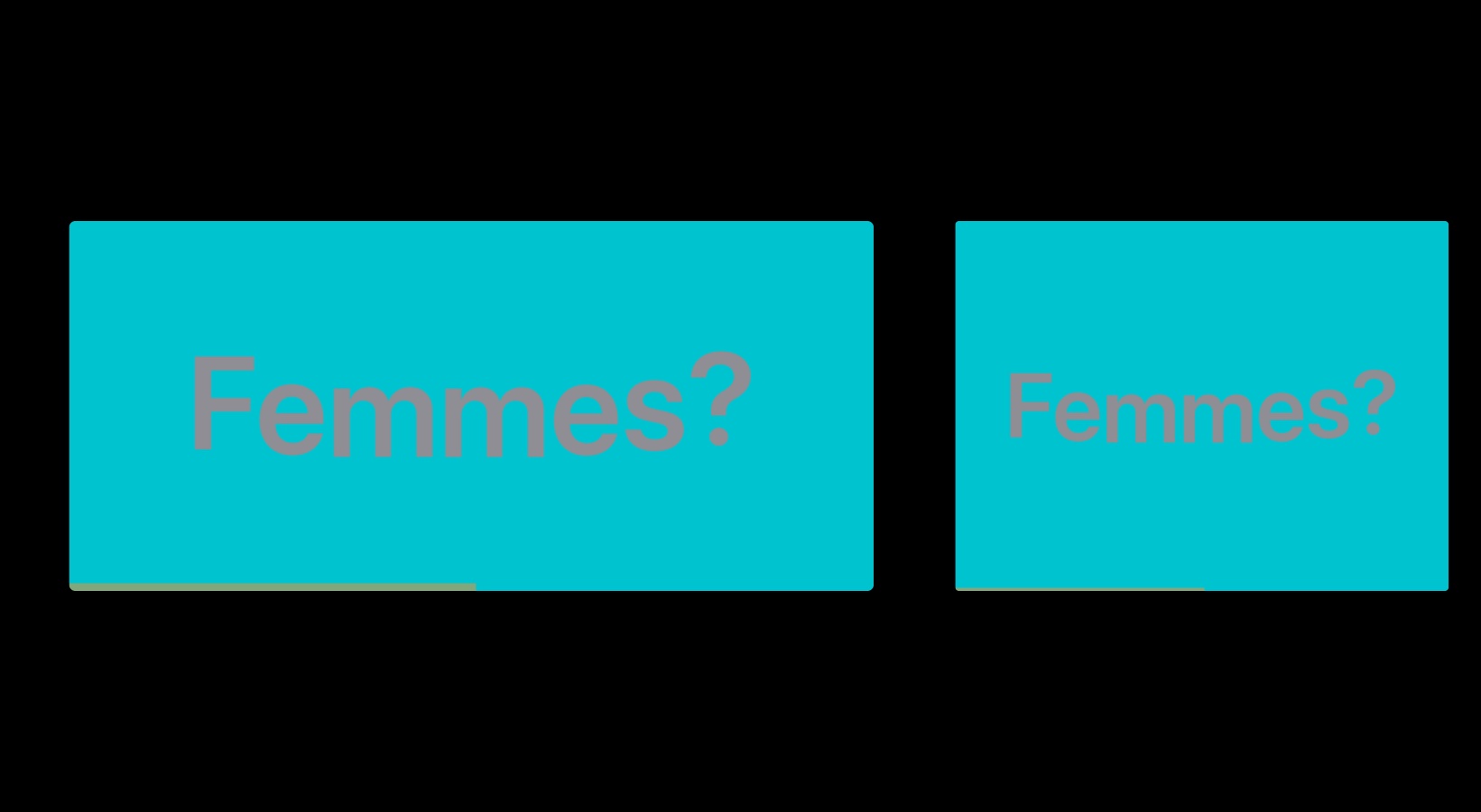
Wrap a word in asterisks and it's set apart with inverse colors, effects, or both. Trailing punctuation stays put.
🔚
The end
Optional end-of-message text, shown all at once or one word at a time, so the reader knows there's no more coming.
Pause and scrub. Tap to pause or resume, or to replay a finished message. Swipe left or right to step back or forward a word.
Repeat. Turn on Repeat Message and it plays again and again until you turn the device upright. Or play it once and hold the last word.
Feel it. Haptic feedback on every word, at the start and the end, or neither, at the strength you like.
Photos
Show them,
don't tell them.
Add a photo from your library and it goes inline, right where the cursor is. When the message plays, the photo fills the screen for a beat in the middle of the words. Crop it for the screen in the app; your original is never touched, and you can recrop any time by tapping the thumbnail.

Inline
The photo sits in the text as a thumbnail, so you can see where it lands. Move the cursor, type around it, or delete it like a character.
Stickers and Genmoji
Stickers, Memoji, and Genmoji from the emoji keyboard drop straight into the message and play like a large emoji on the background color.
Kept with the message
Photos are stored with the message in history, on your device, so replaying an old message brings its photo back too.
Effects
Wave, shake,
bounce, glow.
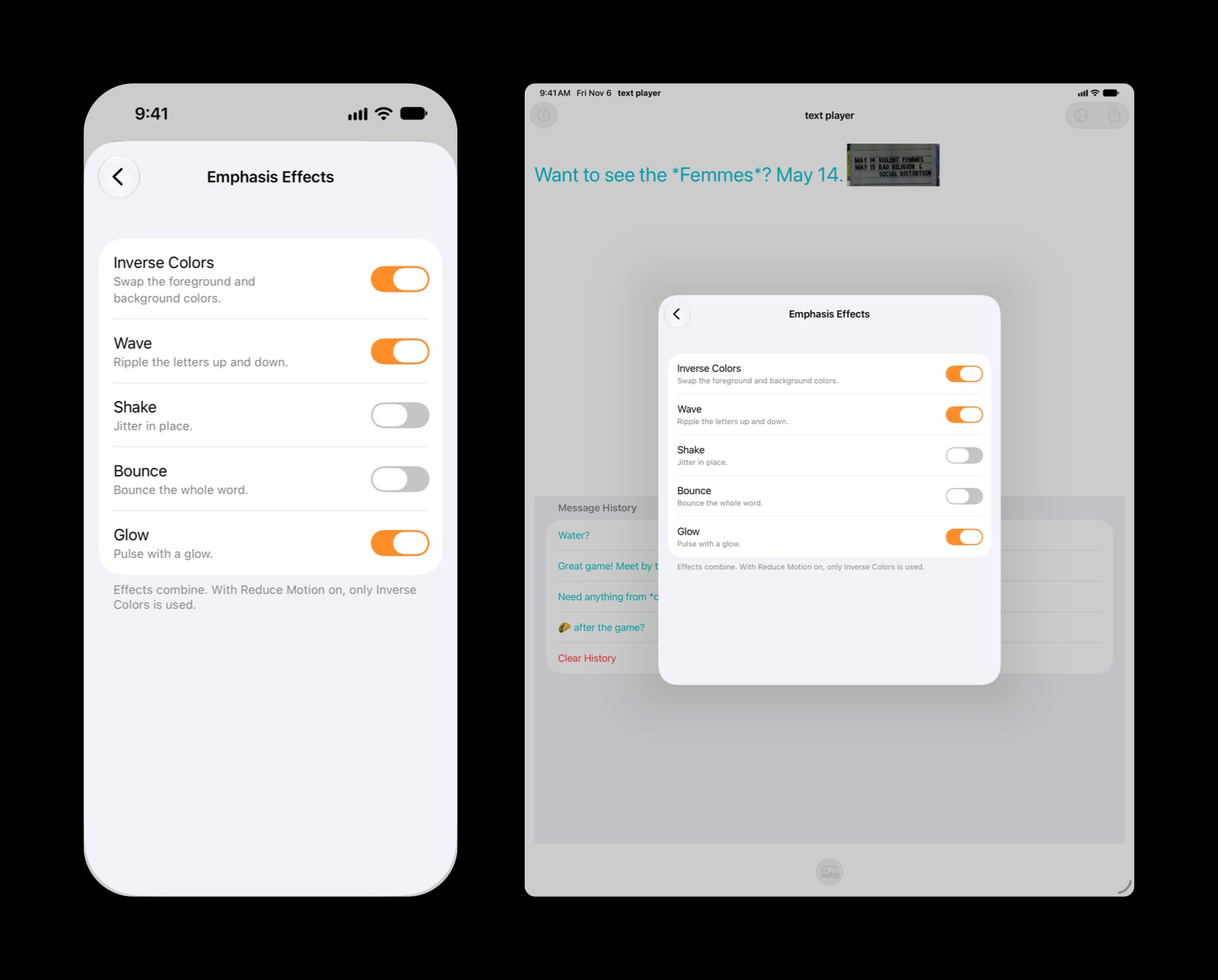
Emphasized words can swap colors, ripple letter by letter, jitter in place, bounce, or pulse with a glow. Turn on any mix of them. The motion keeps time with your words-per-minute setting.
Transitions. Choose how each word replaces the last: instantly, or with a fade, scale, blur, or push.
Reduce Motion. With Reduce Motion on, emphasized words switch to inverse colors instead of moving, and transitions become a fade.
Emoji. Keep emoji attached to the word next to them, or split them out so 🤜 and 🤛 each get the screen to themselves.
Share
Send it as a video.
Can't hold up the phone? Export the message as an MP4, effects and photos included, and send it from the share sheet. A progress bar shows the render, and Cancel stops it.
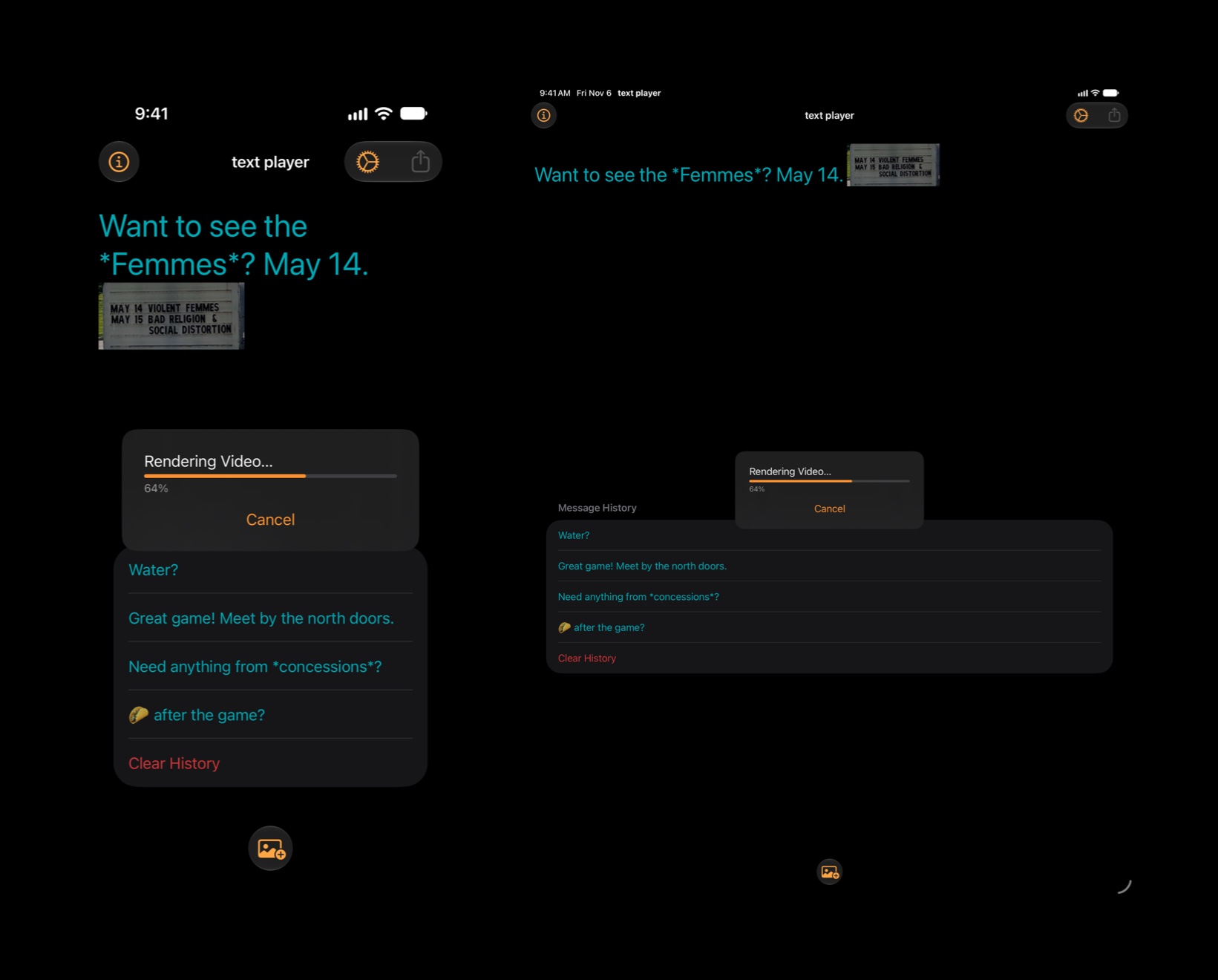
History. Every message you play is kept, newest first. Tap one to bring it back for a replay or an edit. Swipe to delete one, or clear the lot.
On your device. History lives in a local database on the device. There's no account and nothing is uploaded.
Settings
Your speed, your size,
your colors.
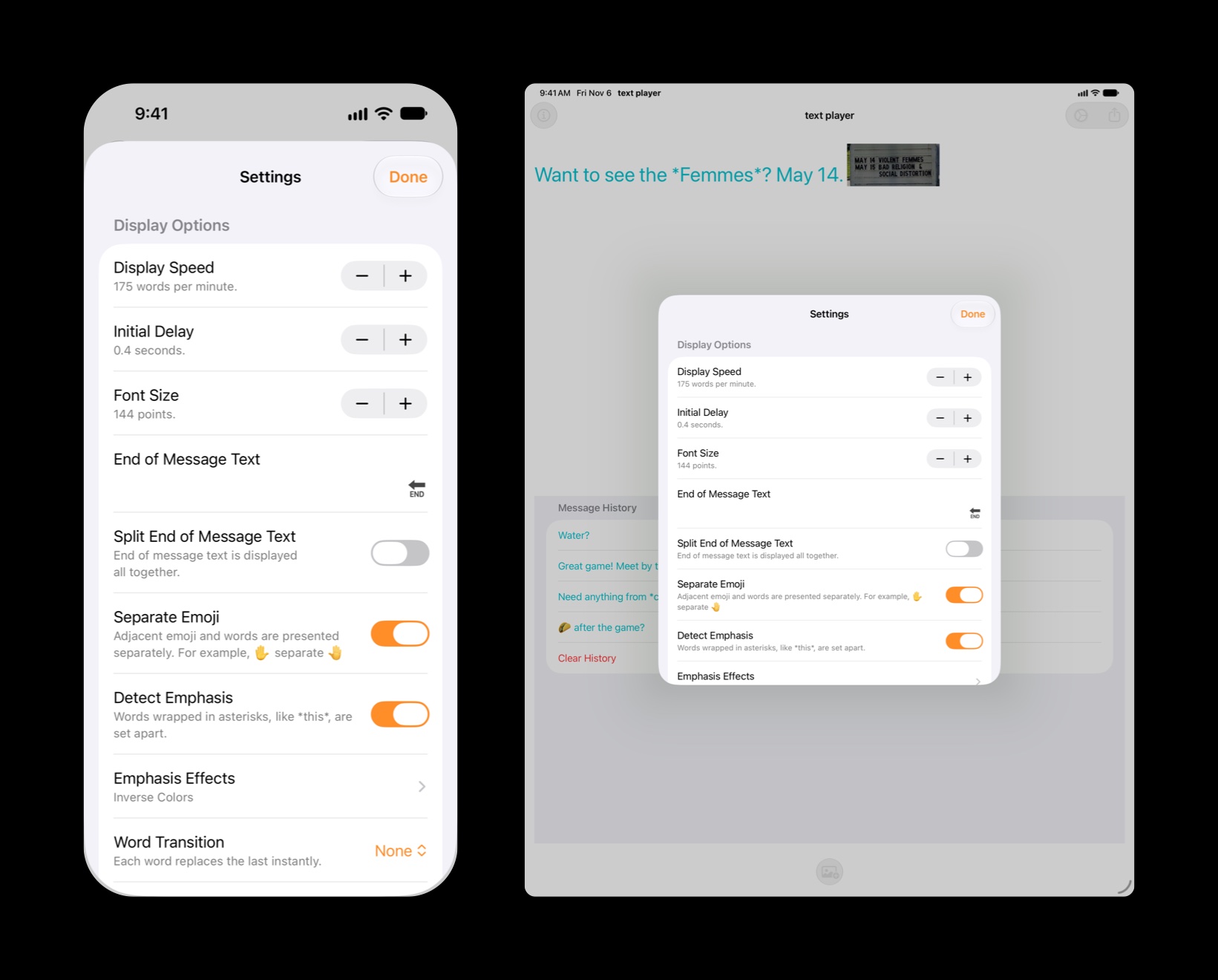
Words per minute, initial delay, font size, end-of-message text, and the player's text and background colors. Light or dark appearance, or follow the system, and your pick of accent color. An optional progress bar shows how much is left.
What's New
The 2026 update.
text player first shipped in 2024 as a message and a sideways phone. This release keeps that and builds out around it. It's free for everyone who already owns the app, and your settings and history carry over.
Photos
A photo from your library, inline in the message, cropped for the screen, and played full-screen between the words.
Stickers and Genmoji
Anything the emoji keyboard offers goes into the message.
Emphasis effects
Wave, Shake, Bounce, and Glow for marked words, on top of inverse colors, in any combination.
Transitions
Fade, Scale, Blur, or Push between words.
Pause, scrub, repeat
Tap to pause, swipe to step, and an option to loop the message until you turn the device upright.
Video export
Share the message as an MP4 from the toolbar, with a progress indicator while it renders.
A better pause
Pause After Punctuation holds the word longer instead of showing it twice, so effects and transitions look right.
Modern foundations
iOS 26 and iPadOS 26, a local database for history, full-screen landscape playback, and the screen kept awake while a message plays.
The details. See the release notes for the full list.
Pricing
Buy it once.
text player is a one-time purchase on the App Store. No subscription and nothing to renew; pay once and it's yours.
Price. The price is shown on the App Store and varies by country and region. One purchase covers iPhone and iPad under the same Apple Account.
Support an indie developer. Your purchase keeps text player going.
Privacy
Data Collection
text player does not collect any data. There are no accounts, analytics, ads, or tracking. Your messages, photos, and settings stay on your device.
Photos
When you add a photo, text player reads only the photo you picked and keeps a downsized copy with the message. Your photo library is never changed, and the app does not need access to the rest of it.
Messages
At launch, text player fetches a small file of news from this website so it can show you anything new. That is an ordinary web request and carries nothing about you or your messages. Which messages you've already seen is remembered on your device only.
Data Sharing
Given the above points, text player cannot share data. A video you export leaves the device only when you send it from the share sheet. text player is a SwiftUI app and makes use of Apple's developer libraries, plus a small library of my own for the news messages. These Apple libraries do not, to the best of my knowledge, collect data.
Data Retention
Since text player does not collect data, text player cannot retain data. Your message history is yours to delete, one message at a time or all at once.
Support
There's not much that can go wrong with text player. That said, if after restarting your device and reproducing the issue you think you've found a bug, please reach out; I don't like bugs either. See the release notes for what's changed.
Terms
Feel free to use text player at your leisure for whatever purpose you have in mind. Here's Apple's standard EULA.
Future Versions
text player is currently a paid-up-front app. At some future point it may become a subscription app. If that happens, I'll make every attempt to extend a free subscription to existing customers; a subscription would then be required for continued use.
Refunds
All text player purchases are final. I cannot issue refunds for charges to your Apple Account, but you can ask Apple to do so.
Your messages
Anything you write or export with text player is yours.