
granny hand
Sheepshead, the way
the family plays it.
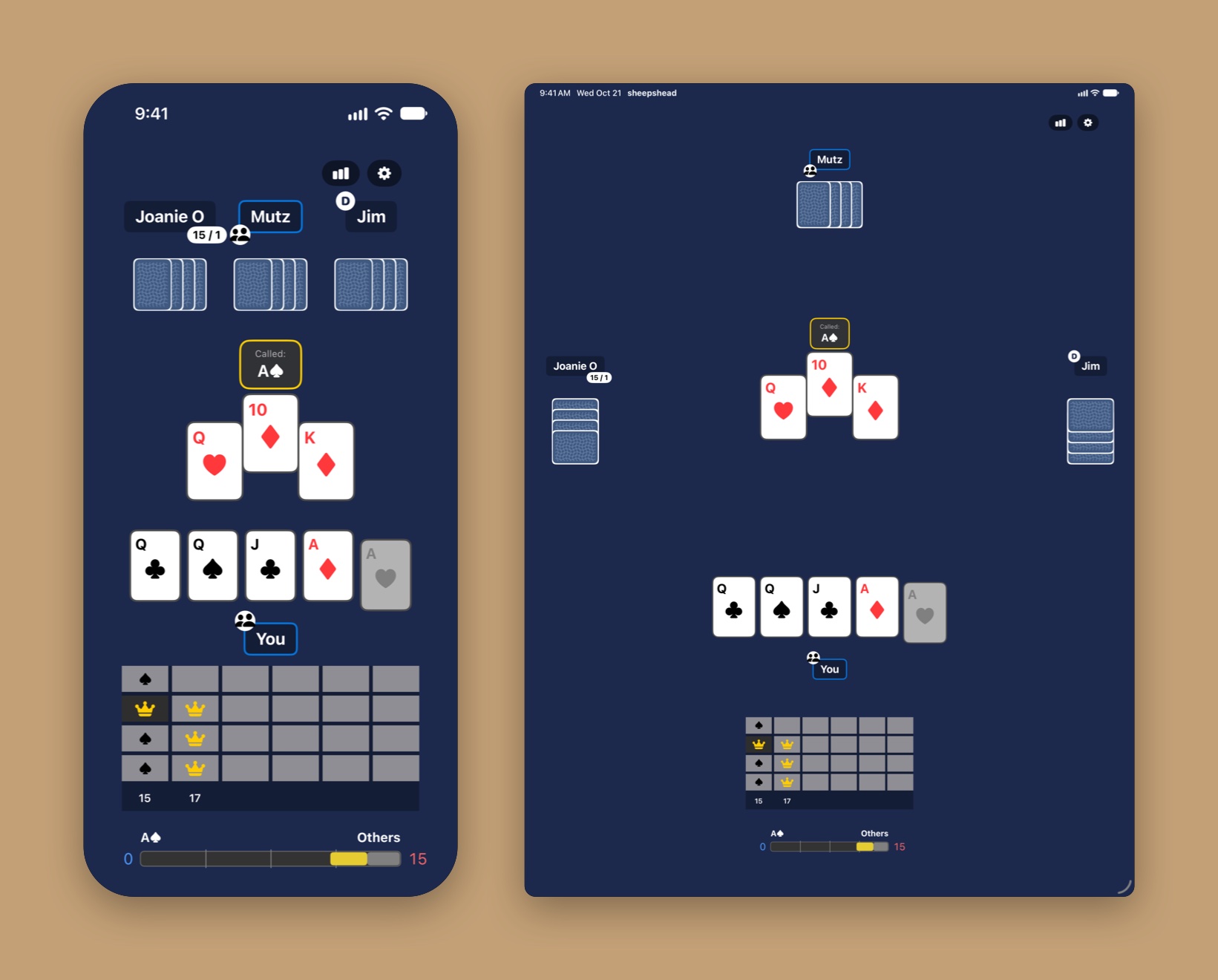
Four hands, 24 cards: queens, jacks, aces, tens, kings, and nines. The black queens are partners. Call an ace when you need help, go it alone when you don't. Three opponents who play like people, a table that tells you what the better play was, and every hand remembered.
For iPhone and iPad. Requires iOS 26.1 or iPadOS 26.1 or later. Free to try, no ads, no account.
Inspiration
The version I actually know.
I've been playing Sheepshead at family holidays for the better part of 25 years. When I went looking for an app, everything I found played it a little differently: three-handed, five-handed, sometimes with the 8s and 7s, with its own ideas about doubles and about when you can and can't call a partner.
I never found the version I knew: four-handed, 24 cards, called-ace partners, loners, and doubles after a 60–60 tie. So I built it. A granny hand, if you're wondering, is a hand so stacked with trump that your granny could win with it. May you be dealt many.
Play
Three opponents who play like people.
Each computer player has a persona, and each tracks who is likely on which side as the cards fall and plays its seat accordingly. The rules police themselves: following suit, called-ace timing, legal calls, and which cards you can play on this trick.
8
Personas
Rookie, Balanced, Aggressive, Conservative, Lone Wolf, Gambler, Team Player, Tight. Set each seat, name it after the relative it plays like, or adjust its four strategy dials yourself.
Q♣ Q♠
Partners
The black queens are secret partners until play reveals them. Hold both and you can call a fail ace for a partner, including the unknown-card rule when you hold all your fail aces.
1 v 3
Loners
Play alone silently with both black queens, or call it off and take on the table. An optional house rule forces a call-off with five or six trump.
60–60
Doubles
A tie doubles the payouts for the next four decks, and another tie extends it. The traditional per-player payout table, with a running chip balance for every seat.
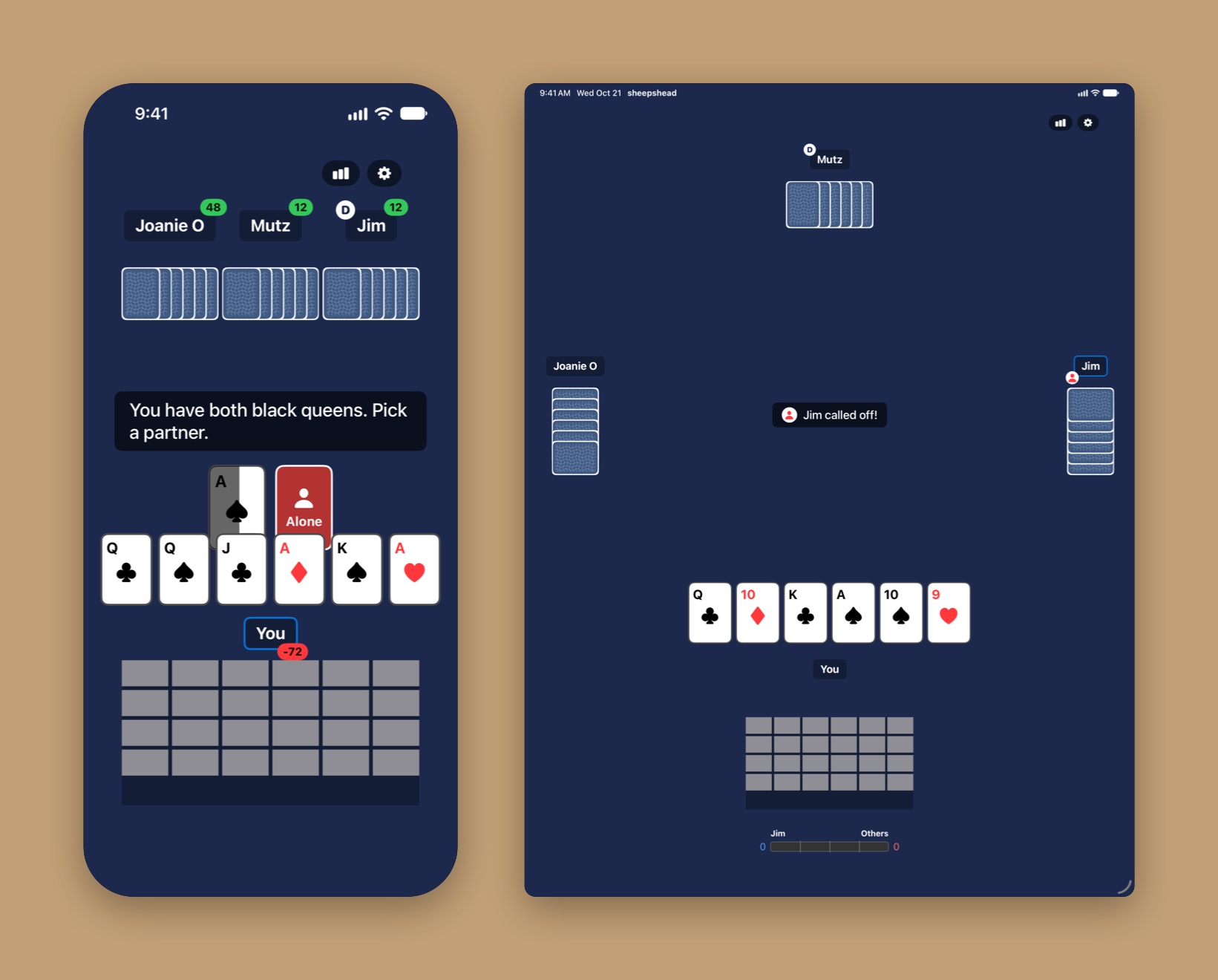
Keep the table moving. A ten-second countdown passes for you in the calling round if you don't decide, and the seating can reshuffle every few rotations so nobody keeps the same neighbors all night.
Turn it sideways. On iPhone, landscape puts the table on one side and your stats, history grid, and score bar on the other. You choose the side. On iPad, the opponents take their seats around the table.
Learn
The table tells you what the better play was.
After each hand, a player at the table points out your costliest plays, with the numbers to back it up: the card you played, the card that would have done better, and what it cost. The judgment comes from replaying your hand against every legal alternative, not from guesswork.
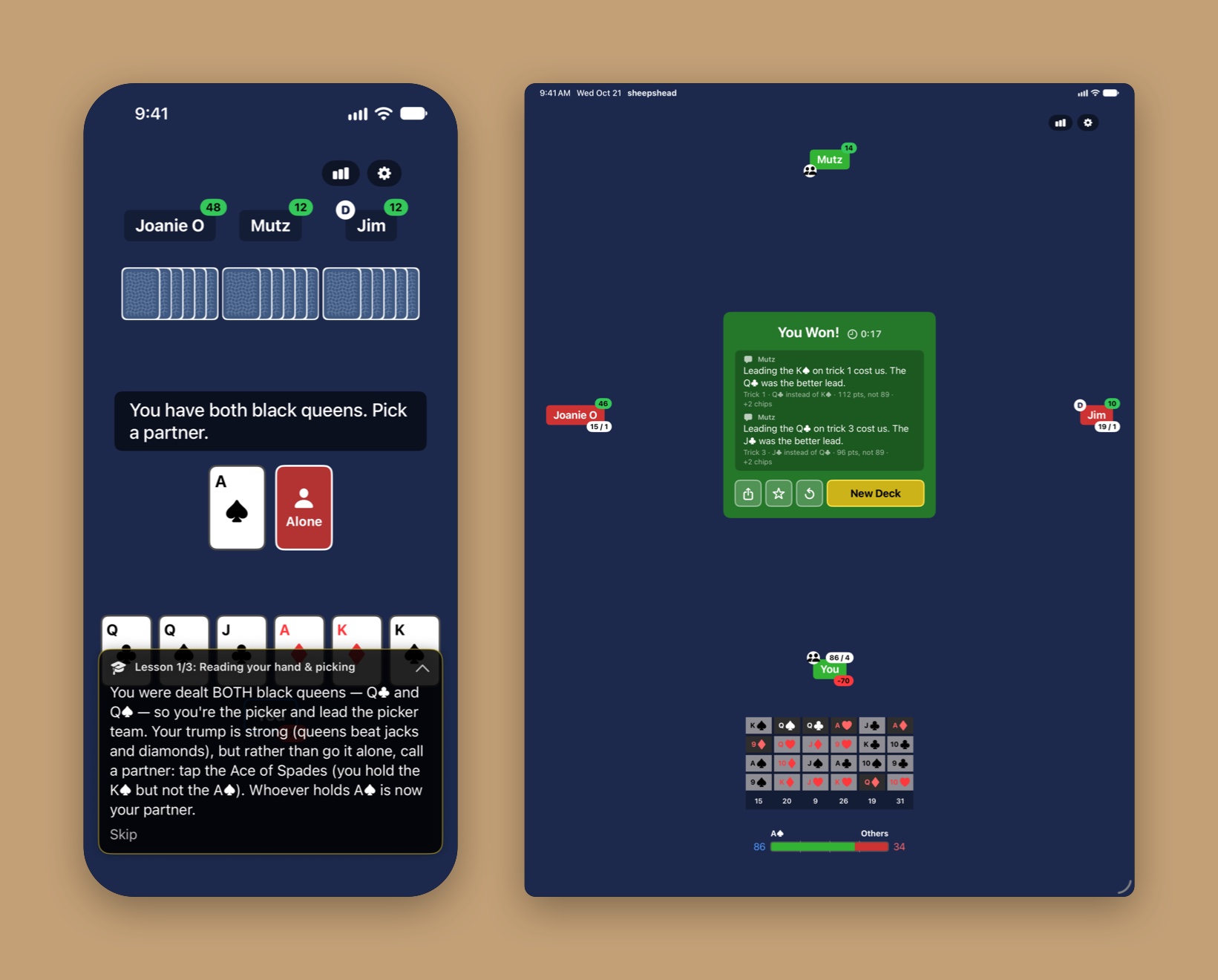
Table talk. Up to two remarks per hand, from a teammate, or from a gloating opponent when you went alone. On devices with Apple Intelligence the remark is phrased by the on-device model; otherwise it uses built-in wording. Either way it only comments on what the hand actually shows. On by default; off in Settings.
Learn to play. A guided tutorial in three lessons, offered on first launch and any time from Settings: reading your hand and picking, winning tricks and schmearing, the called ace and identifying teams. Tutorial hands never count toward your stats.
Track the teams yourself. Leave Highlight teams on and the app marks the picker's side as it's revealed. Turn it off and work out who's with whom from the cards, like at a real table.
Remember
Every hand remembered.
Every deck is recorded: who picked, what was called, and every card in the order it was played. The statistics are built from that history, and your history syncs through iCloud so it follows you between devices.
Statistics
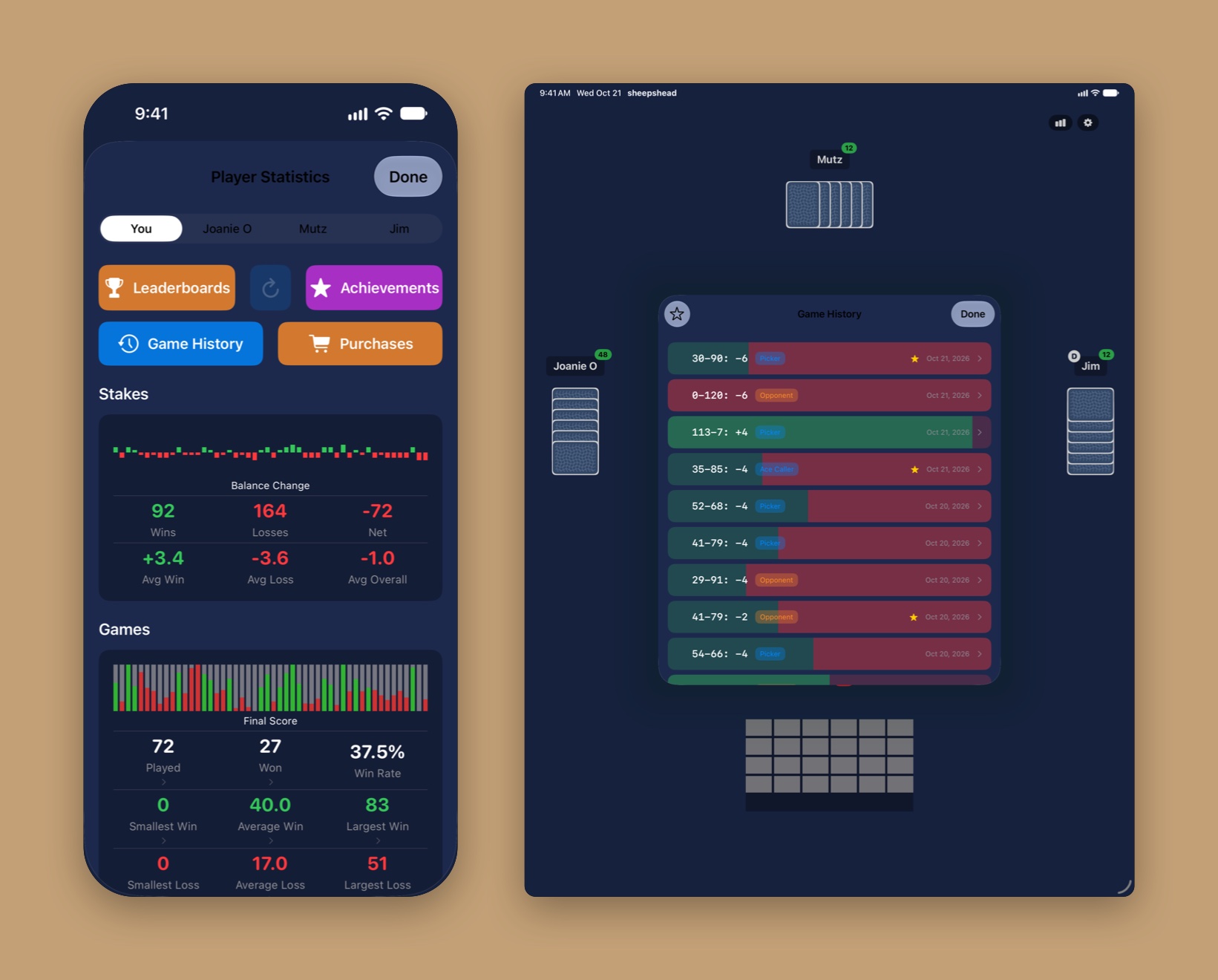
Sparklines for stakes and final scores, win rates, averages, and breakdowns by role, by day, by time of day, by hand duration, by cards dealt, and by points in hand. Tap a number to see the hands behind it.
Game history
Every past deck with its score, your role, and your payout. Open one to see all four hands. Star the ones worth keeping and filter to just those.
Challenges
Share any deal as a link. Whoever opens it plays the same 24 cards from the same seat against the same opponents, then sees a side-by-side against your team points, tricks, points, and time.
Game Center
Four leaderboards: total wins, total games, win rate, and win rate playing alone. Fifty achievements, from your tenth deck to a Granny Hand, a Clean Sweep, a Perfect Game, and a Taunting win with trump played in strictly rising order.
Settings
Make the table yours.
Five table colors, four card backs, an optional four-color deck with blue diamonds and green clubs, and a hand sorted by power or by points.
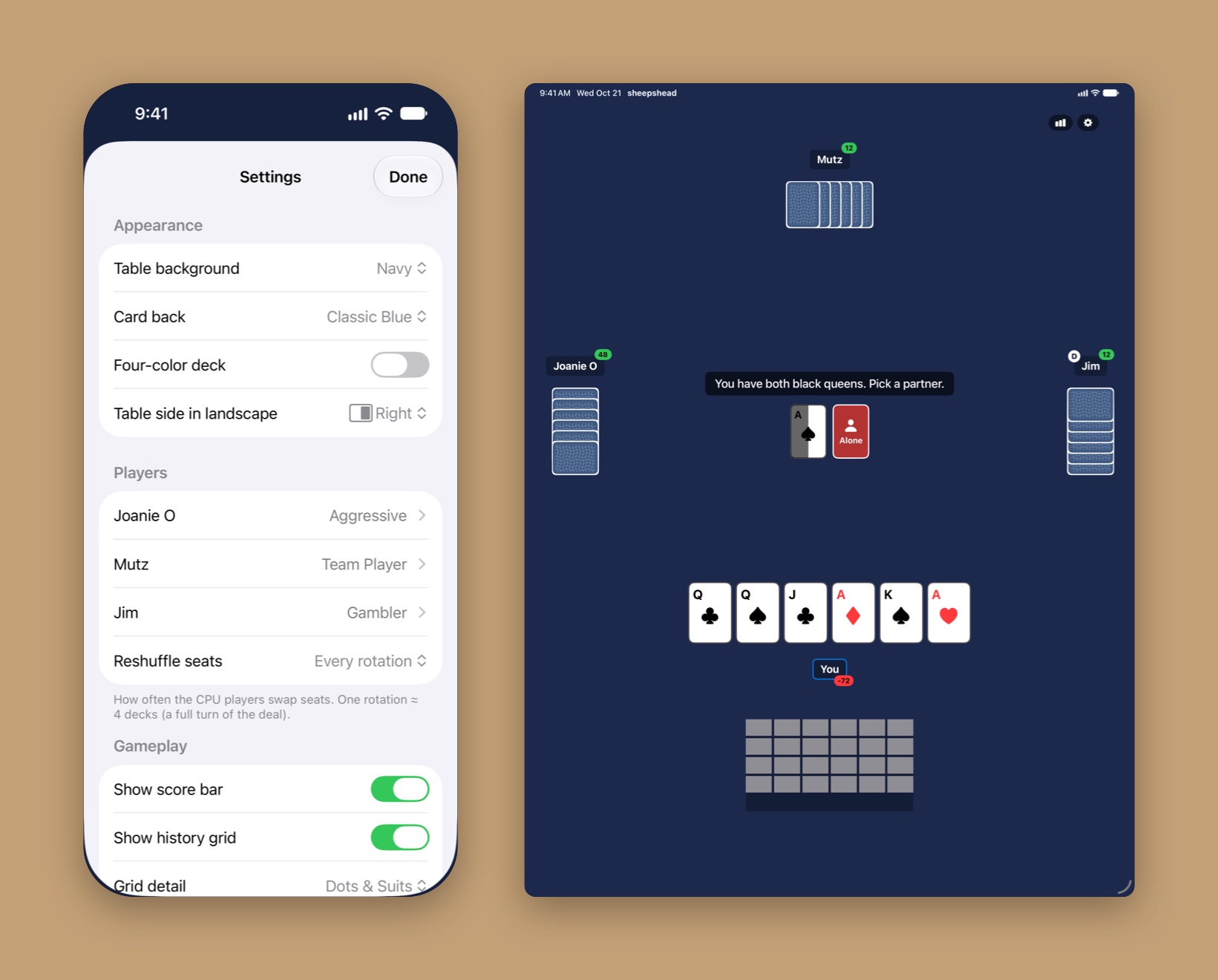
On the table. A live score bar, a six-trick history grid shown as dots, suits, or cards, a tap-to-reveal game clock, and haptics. Each can be switched off.
House rules. Forced call-off with five or six trump, or six only. Challenges and the tutorial always play standard rules.
Synced. Settings, favorites, and history all sync through your iCloud account.
Pricing
Free to try.
Fair to buy.
Unlimited play for your first week, then five decks a day, forever. Two one-time purchases, no subscription, no ads, no coins.
Free
Seven days of unlimited play, then five decks every day. Challenges don't count against the limit.
The tutorial, your statistics, game history, Game Center, and every setting.
Unlimited Play
Removes the daily limit for good, and unlocks replaying a deck from the result card.
Player Stats
The same statistics for each computer player, so you can check whether Gambler really is out-earning you.
Price and restoring. Prices are shown in the app and vary by country and region. New device or reinstalled? Purchases are tied to your Apple Account; open Player Statistics › Purchases and tap Restore Purchases.
Support an indie developer. Your purchase keeps granny hand growing.
Privacy
Data Collection
granny hand records the hands you play for the sole purpose of showing you statistics. That history, your settings, and your starred decks are stored on your device and in your own iCloud account. There are no accounts, analytics, ads, or tracking.
Game Center
Game Center is optional. If you sign in, granny hand reports your scores and achievements to it, under Apple's privacy policy.
Table Talk
On devices with Apple Intelligence, the remarks after a hand are phrased by the on-device model. Nothing about your hand leaves your device for that.
Purchases
Purchases are handled entirely by Apple. granny hand only learns what you own, not who you are.
Data Sharing
Given the above points, granny hand cannot share data. granny hand is a SwiftUI app and makes use of Apple's developer libraries exclusively; no third-party libraries. These Apple libraries do not, to the best of my knowledge, collect data.
Data Retention
Since granny hand does keep your game history, it also lets you remove it: in Player Statistics, open Game History and use Clear History at the bottom of the list. That purges the history from your device and your iCloud account, and resets balances and statistics with it.
Support
There's not much that can go wrong with granny hand. That said, if after restarting your device and reproducing the issue you think you've found a bug, please reach out; I don't like bugs either. See the release notes for what's changed.
Terms
Feel free to use granny hand at your leisure for whatever purpose you have in mind. Here's Apple's standard EULA.
Refunds
All granny hand purchases are final. I cannot issue refunds for charges to your Apple Account, but you can ask Apple to do so.
For Entertainment Only
granny hand is not intended for, and should not be used for, any sort of betting. The chips are just chips.