do over
Type it once.
Get it every time.
Give do over a list and a template, and it writes the template out once per item, live as you type. Five metrics become a SELECT statement. Thirty labels become a Swift enum. Twelve months become a numbered list. It's mail merge for text.
For iPhone, iPad, and Mac. Requires iOS 26, iPadOS 26, or macOS 26 or later. No ads, no account.
Inspiration
Macro arrays, minus the SAS.
For over a decade, I wrote SAS code built on a pair of macros, %do_over() and %array(), from Ted Clay's Tight Looping with Macro Arrays.
When my job moved me off SAS, I still wanted them for bash and SQL.
A shell script worked; this app is the version I wanted to carry around.
do over is the oldest app I have on the App Store, and this release is a ground-up modernization: a synced library of lists and templates, a real Mac app, Undo everywhere, and a new Liquid Glass icon. Here's everything that's new.
Template
One token.
Every item.
Write the template once, with a token where each item goes. The token is ? until you pick another, so the template never fights the text you're writing.
?
The item
Each item, exactly as typed.
?i · ?n
Index and total
The item's position, counting from 1, and how many items there are. \i+n or \i-n shifts every index.
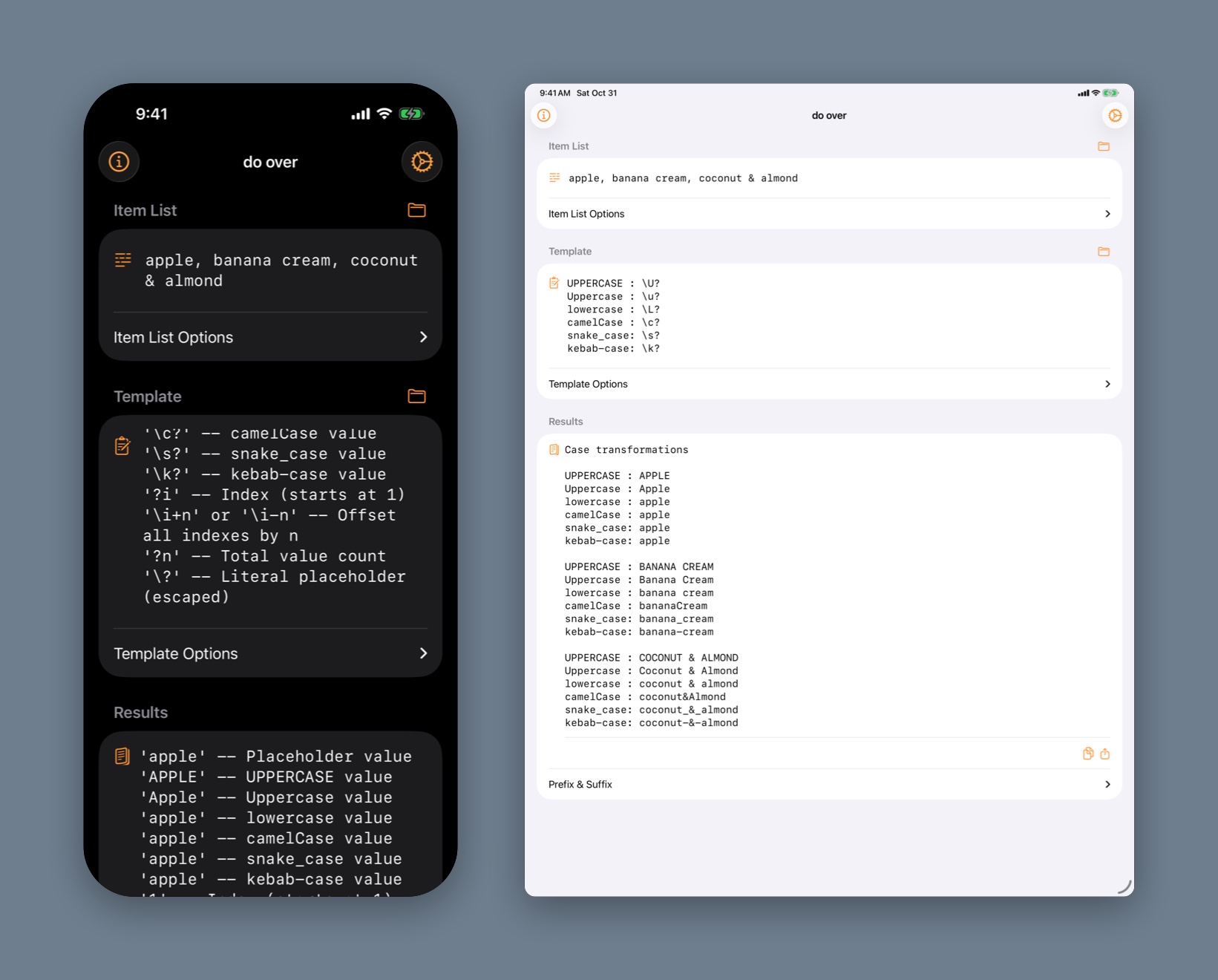
\U \u \L
Case
UPPERCASE, Capitalized, and lowercase, plus \c camelCase, \s snake_case, and \k kebab-case.
\?
The literal token
Escape the token when you need the character itself in the output.
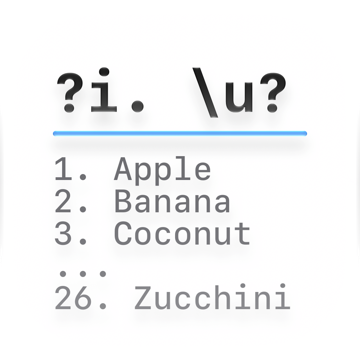
Numbered list
Template
?i. \u?
Results
1. Apple
2. Banana Cream
3. Coconut & Almond
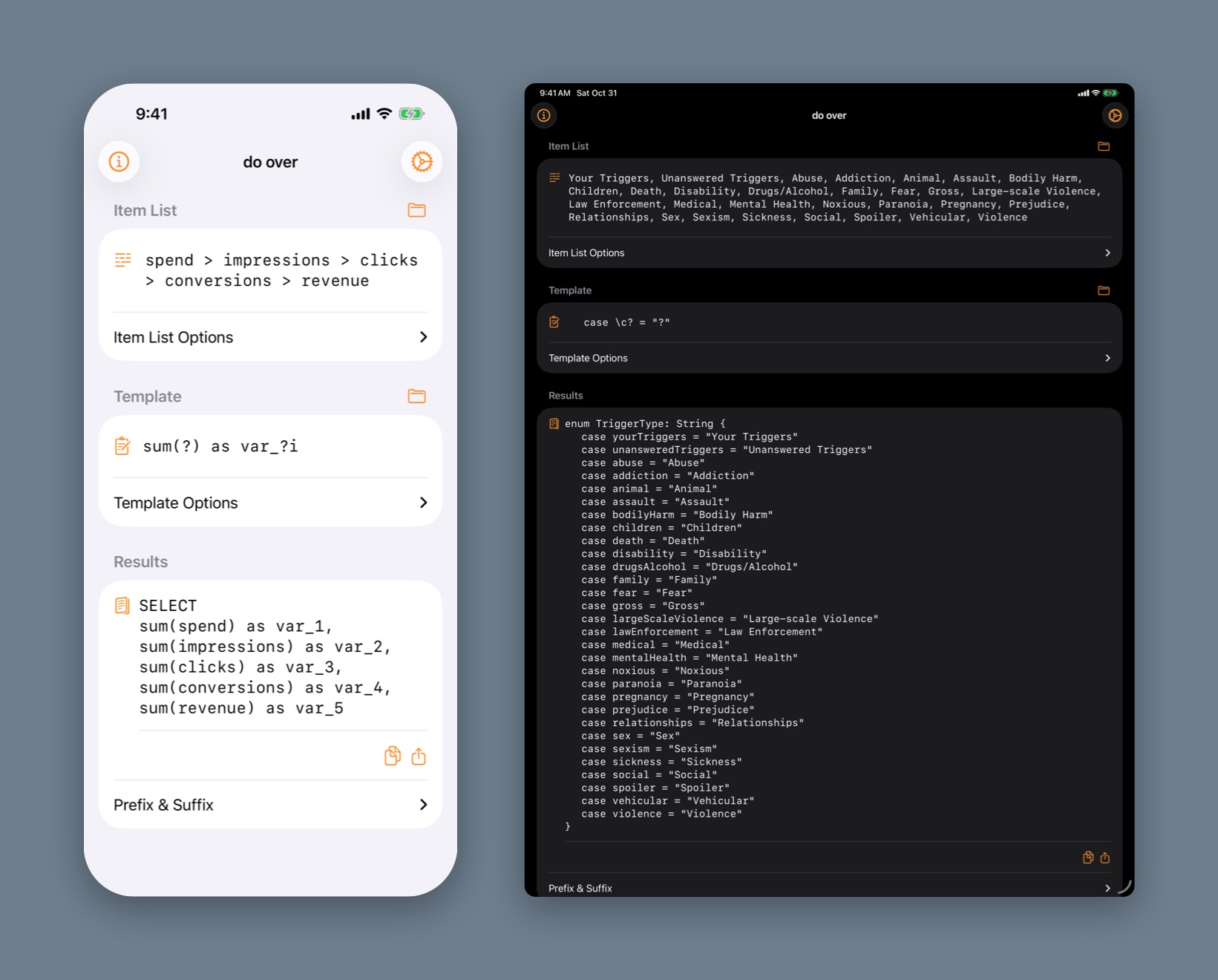
SQL sums
Template · Prefix SELECT
sum(?) as var_?i
Results
SELECT
sum(spend) as var_1, sum(impressions) as var_2, sum(clicks) as var_3, …
Swift enum
Template · Prefix and suffix wrap it
case \c? = "?"
Results
enum TriggerType: String {
    case yourTriggers = "Your Triggers"
    case bodilyHarm = "Bodily Harm"
    …
}
Join, prefix, suffix.
Join the copies with a new line, a comma, or anything else.
A prefix and suffix wrap the whole result once, and can use the total count, ?n.
The result without them is right there too.
Forgot the syntax?
Type \help (with the trailing space) as the template, and it becomes a cheat sheet: every switch, demonstrated on your own items in the results.
Copy, share, or go again. Copy or share the results, or send them back to the item list, split the way they were joined, and run them through a second template.
Items
Bring a list.
Or don't.
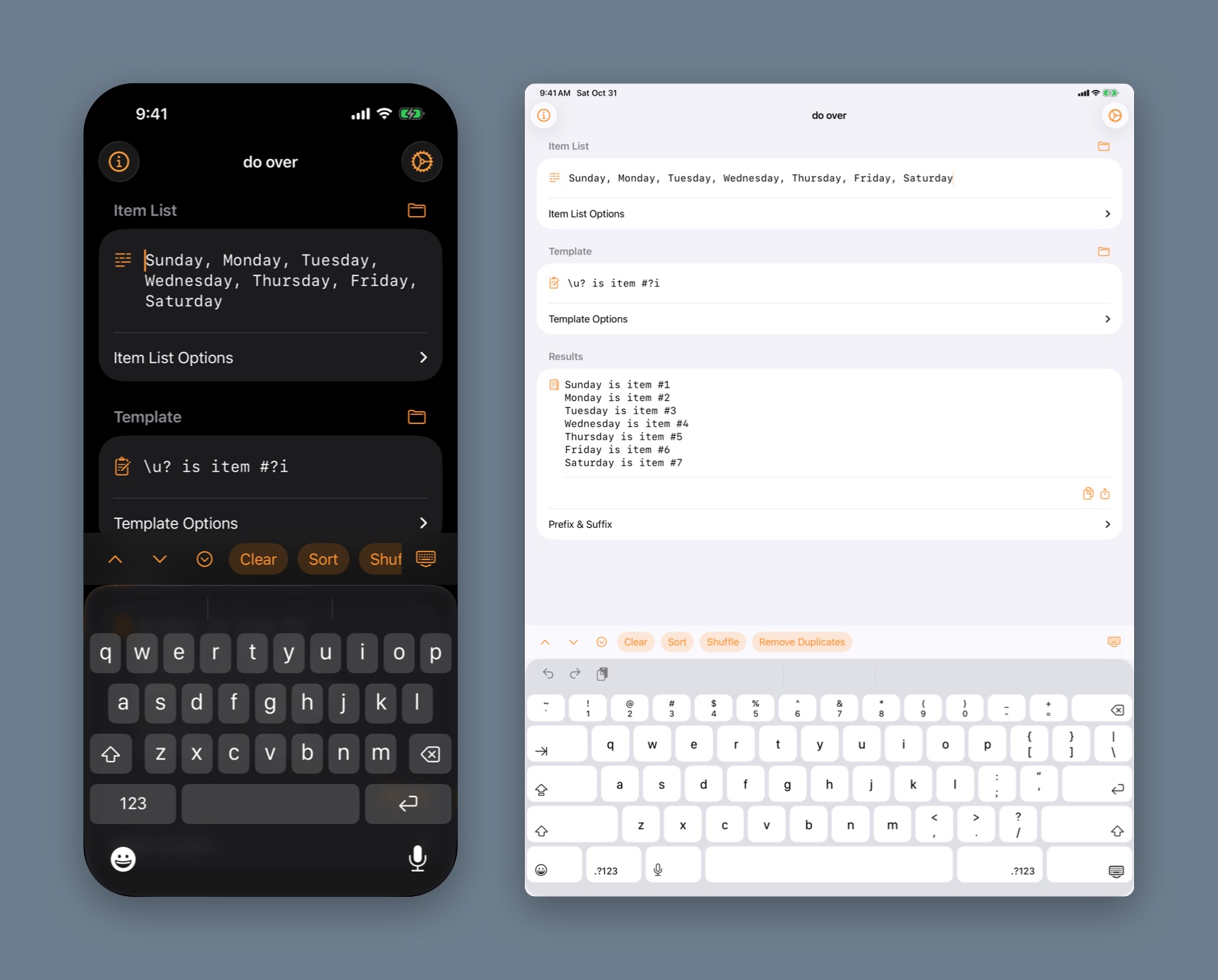
Split your items on any delimiter: a comma, a tab, a pipe, a new line, or > if that's how your list came. Then sort, shuffle, or remove duplicates without leaving the keyboard.
\1-100
Number ranges
Type \m-n and the range fills in, joined with your delimiter. Negative numbers work, up to 10,000 values at a time.
\days
Built-in lists
Days and months, full or three letters (\days3, \months3), and the 50 U.S. states, by name or postal code (\states, \states2). \help lists them all.
A–Z
Sort and shuffle
Sort in natural order, so item 2 comes before item 10; sort again to reverse. Shuffle, or remove duplicates and keep the first of each.
⌘Z
Undo
Sort, Shuffle, Remove Duplicates, Clear, inserting a switch, opening a saved list: the buttons and menus can be undone and redone like your typing, on iPhone and iPad as well as the Mac.
A bar above the keyboard. On iPhone and iPad, the bar changes with the field: Sort, Shuffle, and Remove Duplicates for the item list; every case switch, index, and count for the template; Comma, Tab, Pipe, and New Line for delimiters and joiners. Arrows step between fields.
Room for the details. The delimiter, token, joiner, prefix, and suffix fold away under each section until you need them.
Examples
Try these.
Each one, typed into do over, gives exactly the results shown.
Simple index
Number each item.
- Items
- apple banana coconut
- Delimiter
- a space
- Template
- ?i. ?
- Token
- ?
- Join with
- a space
Results
1. apple 2. banana 3. coconut
Changing case
Three casings of the same item.
- Items
- APPLE Banana coconut
- Delimiter
- a space
- Template
- Uppercase: \U?, Capitalized: \u?, Lowercase: \L?
- Token
- ?
- Join with
- a semicolon and a space
Results
Uppercase: APPLE, Capitalized: Apple, Lowercase: apple; Uppercase: BANANA, Capitalized: Banana, Lowercase: banana; Uppercase: COCONUT, Capitalized: Coconut, Lowercase: coconut
Code-friendly names
camelCase, snake_case, and kebab-case from plain labels.
- Items
- Your Triggers|Bodily Harm|Drugs/Alcohol
- Delimiter
- |
- Template
- camel \c? snake \s? kebab \k?
- Token
- ?
- Join with
- a new line
Results
camel yourTriggers snake your_triggers kebab your-triggers
camel bodilyHarm snake bodily_harm kebab bodily-harm
camel drugsAlcohol snake drugs_alcohol kebab drugs-alcohol
Escaping the token
Need the token itself in the output? Put \ in front of it. Here the token is _, so \_ is a literal underscore.
- Items
- APPLE Banana coconut
- Delimiter
- a space
- Template
- SUM(_) AS var\__i
- Token
- _
- Join with
- a comma and a space
Results
SUM(APPLE) AS var_1, SUM(Banana) AS var_2, SUM(coconut) AS var_3
SQL conditions
Any text can be the token, like [x].
- Items
- apple|coconut|banana
- Delimiter
- |
- Template
- ([x] IS NOT NULL)
- Token
- [x]
- Join with
- “ and ” (spaces around it)
Results
(apple IS NOT NULL) and (coconut IS NOT NULL) and (banana IS NOT NULL)
Start counting at zero
\i-1 shifts every index down by one.
- Items
- spend|impressions|clicks|conversions|revenue
- Delimiter
- |
- Template
- \i-1 SUM(?) AS metric_?i
- Token
- ?
- Join with
- a comma and a space
Results
SUM(spend) AS metric_0, SUM(impressions) AS metric_1, SUM(clicks) AS metric_2, SUM(conversions) AS metric_3, SUM(revenue) AS metric_4
Counting
?n is the total, in the template or the prefix.
- Items
- north,south,east,west
- Delimiter
- ,
- Template
- ?i of ?n: ?
- Token
- ?
- Join with
- a new line
- Prefix
- Directions (?n) and a new line
Results
Directions (4)
1 of 4: north
2 of 4: south
3 of 4: east
4 of 4: west
Library
Save the list.
Save the template.
Mix them later.
Lists and templates are saved separately, so last month's metrics can meet next month's query. Save either one, or both at once, each with its own name. The library syncs through your iCloud account, so what you save on the phone is on the Mac.
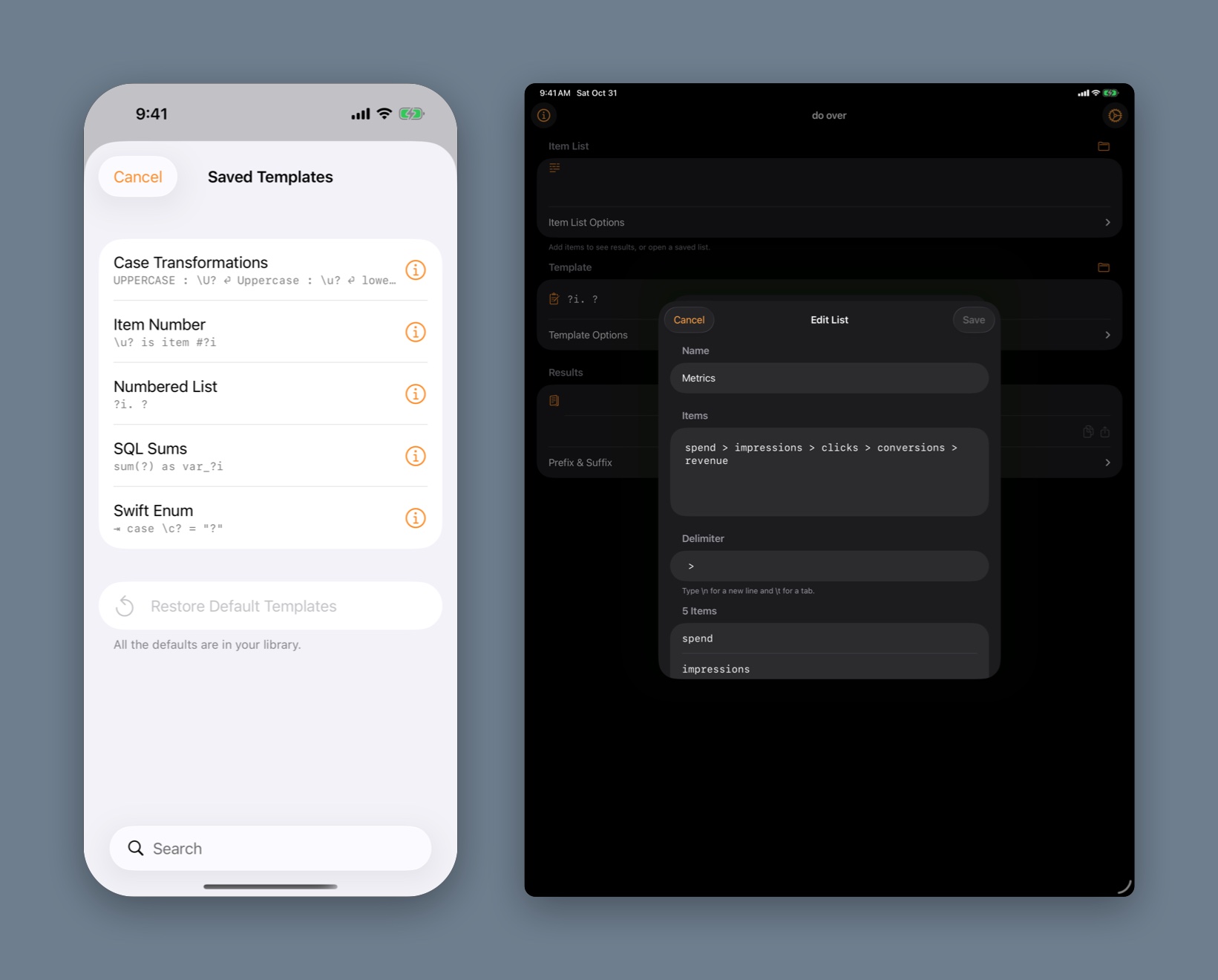
Edit in place. Rename a saved list or template, change its items, delimiter, token, joiner, prefix, or suffix, and see a live preview before you save: the items as they'll split, or the template run on the first items in your list (or sample items, if the list is empty).
Starts stocked. Six lists (Days of the Week, Months, Metrics, Fruit, Emojis, and Content Warnings) and five templates (Numbered List, Item Number, SQL Sums, Case Transformations, and Swift Enum).
Delete freely. Remove any default you don't want. Restore Defaults brings back the ones you removed, and never removes or replaces anything of yours.
Mac
A Mac app that acts like one.
Labeled fields across the full width of the window, menus for everything, keyboard shortcuts, and windows that each keep their own work.
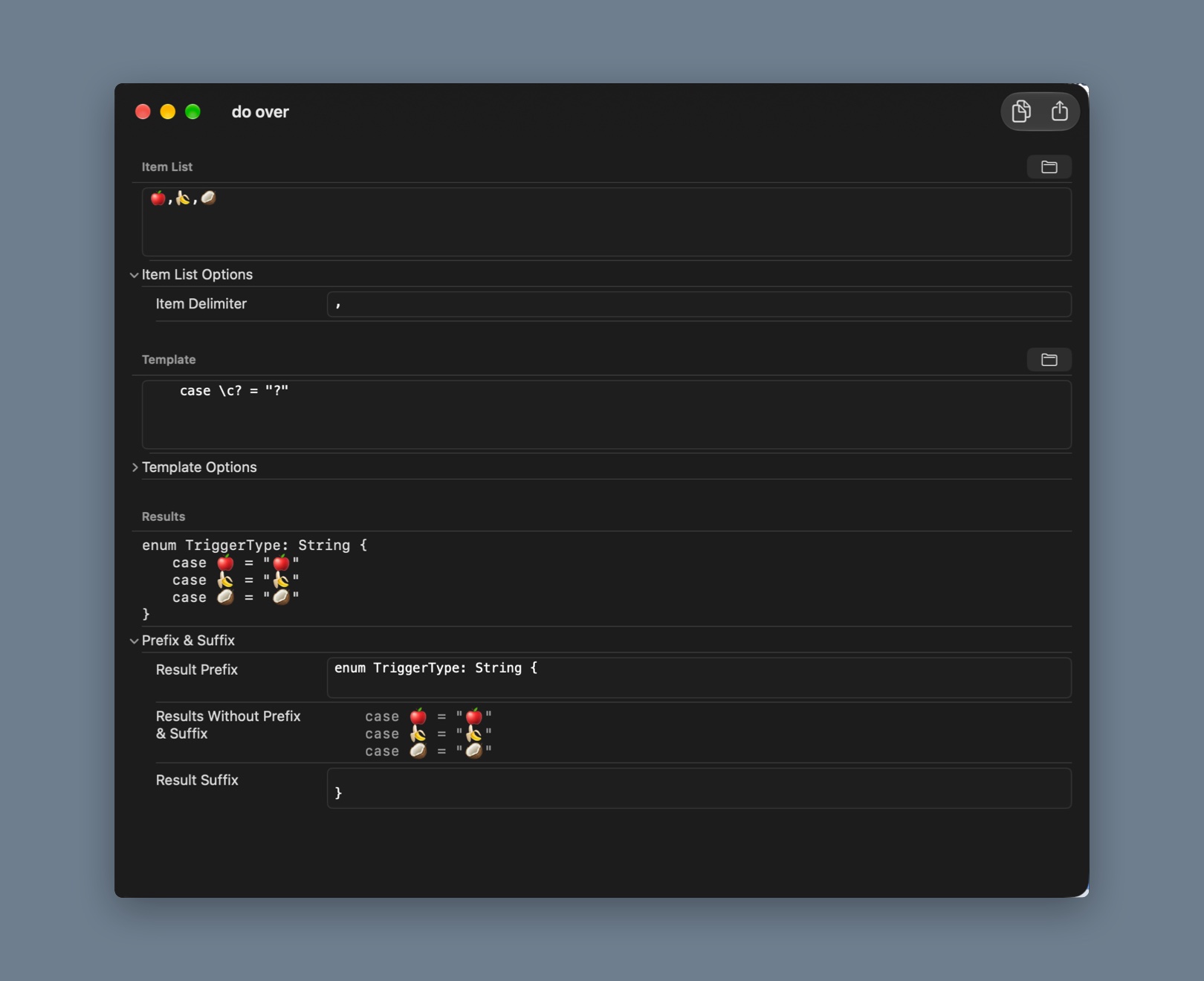
Menus
Open and save lists and templates from the File menu. An Items menu to sort, shuffle, remove duplicates, and send results back. Template › Insert for every switch. View toggles for each set of options.
Keyboard
⌘S saves the list and template together. ⇧⌘C copies the results. Copy and Share sit in the toolbar.
One window per job
Every window has its own list and template, and each comes back as you left it after a relaunch. New windows pick up where you last left off, or start empty if you prefer a clean slate.
Shortcuts
Chain it.
Two actions for the Shortcuts app and Siri, both running without opening do over. Feed one action's output into the next to chain permutations together.
Permutate Text
Items, delimiter, template, token, joiner, prefix, and suffix in; the results out. The same engine as the app. (The \ triggers such as \days and \help are app-only.)
Resolve Range
A range like -2-2 and a delimiter in, -2, -1, 0, 1, 2 out.
Step 1
Build a pattern that still has a token for step 2.
- Items
- a b
- Delimiter
- a space
- Template
- ? != _
- Token
- ?
- Join with
- “ and ” (spaces around it)
Results
a != _ and b != _
Step 2
Step 1's results become the template.
- Items
- x y
- Delimiter
- a space
- Template
- step 1's results
- Token
- _
- Join with
- “ or ” (spaces around it)
Results
a != x and b != x or a != y and b != y
Get the shortcut. This shortcut runs those two steps.
Just ask. "Permutate text in do over" or "Resolve range in do over" starts either one with Siri.
What's New
The oldest app,
rebuilt for 2026.
do over first shipped in 2022. This release keeps the template syntax you know and rebuilds nearly everything around it.
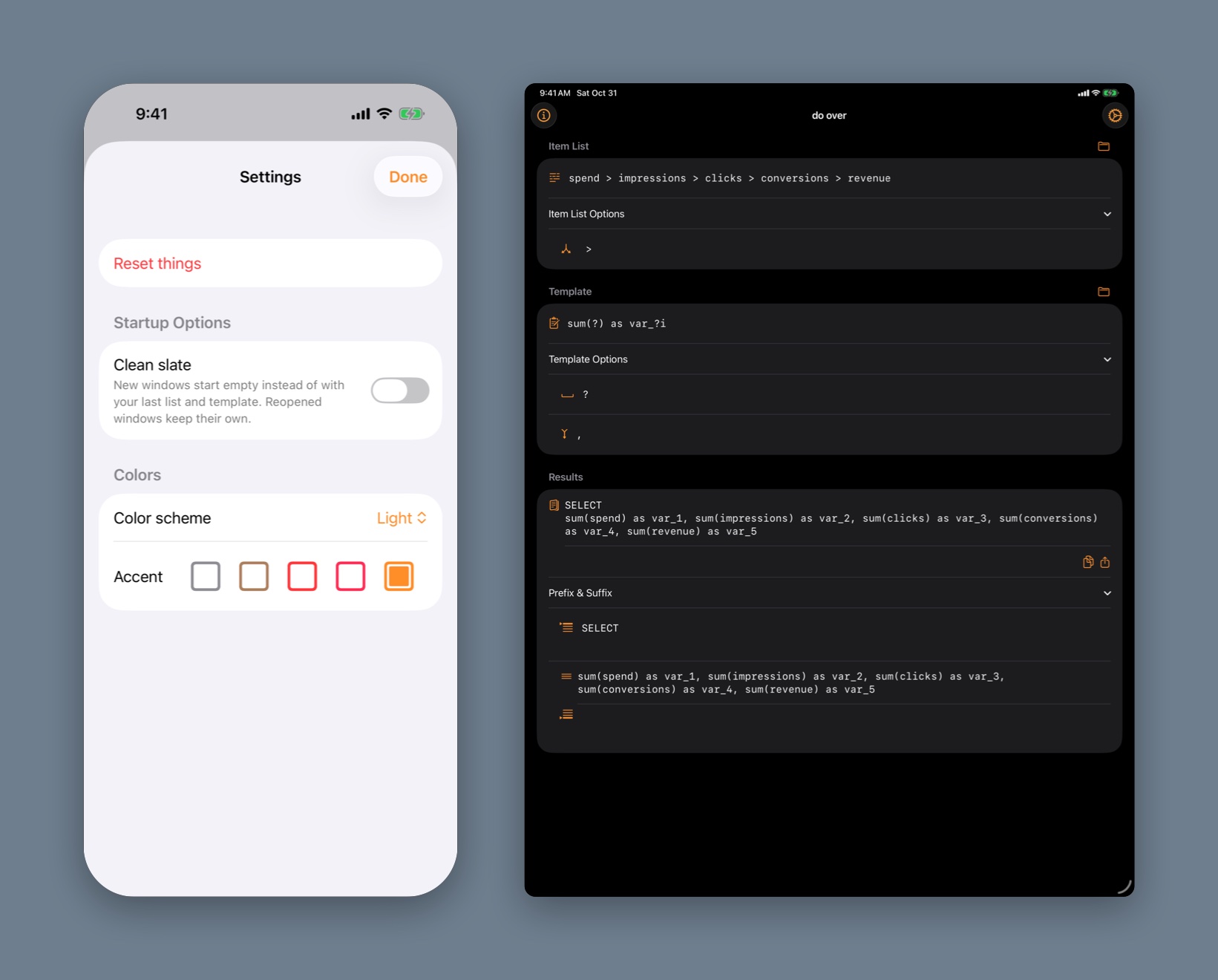
Library
Saved lists and templates, synced through iCloud, editable in place, with restorable defaults.
Mac
Full-width labeled fields, File, Items, and Template menus, toolbar Copy and Share, and independent windows that restore.
Undo
Sort, Shuffle, Clear, Open List, and the rest of the buttons and menus are steps you can undo and redo, not just your typing.
Picks up where you left off
Your last list and template come back at launch. The old example picker and demo became the default library entries.
Sturdier engine
Templates expand in a single pass, so an item that contains the token is never expanded twice. An empty delimiter keeps the list whole instead of splitting every character. Huge index offsets and ranges no longer freeze or crash, and the Shortcuts action now honors its prefix and suffix.
Modern foundations
Swift 6, iOS 26 and macOS 26, a layered Liquid Glass icon, and a Color scheme setting that follows the system again.
Gone. The App Clip, the Paste button, the example picker, and the demo.
The details. See the release notes for the full list, and the examples for more templates to try.
Pricing
Buy it once.
Share it with family.
do over is a one-time purchase on the App Store. No subscription and nothing to renew; pay once and it's yours.
Price. The price is shown on the App Store and varies by country and region. One purchase covers iPhone, iPad, and Mac under the same Apple Account.
Family Sharing. With Family Sharing turned on, up to five other people in your family can download do over at no extra cost.
Privacy
Data Collection
do over does not collect any data. There are no accounts, analytics, ads, or tracking. Nothing you type leaves your device unless you copy or share it yourself.
iCloud
Saved lists and templates are stored in your own iCloud account so they sync between your devices. I can't see them.
Data Sharing
Given the above points, do over cannot share data. do over is a SwiftUI app and makes use of Apple's developer libraries exclusively; no third-party libraries. These Apple libraries do not, to the best of my knowledge, collect data.
Data Retention
Since do over does not collect data, do over cannot retain data. Saved lists and templates are yours to delete from the library at any time, which removes them from iCloud as well.
Support
There's not much that can go wrong with do over. That said, if after restarting your device and reproducing the issue you think you've found a bug, please reach out; I don't like bugs either. See the release notes for what's changed, and the examples for ideas.
Terms
Feel free to use do over at your leisure for whatever purpose you have in mind. Here's Apple's standard EULA.
Refunds
All do over purchases are final. I cannot issue refunds for charges to your Apple Account, but you can ask Apple to do so.
Your text
Anything you make with do over is yours.