card piles
Think of a card.
Don't touch it.
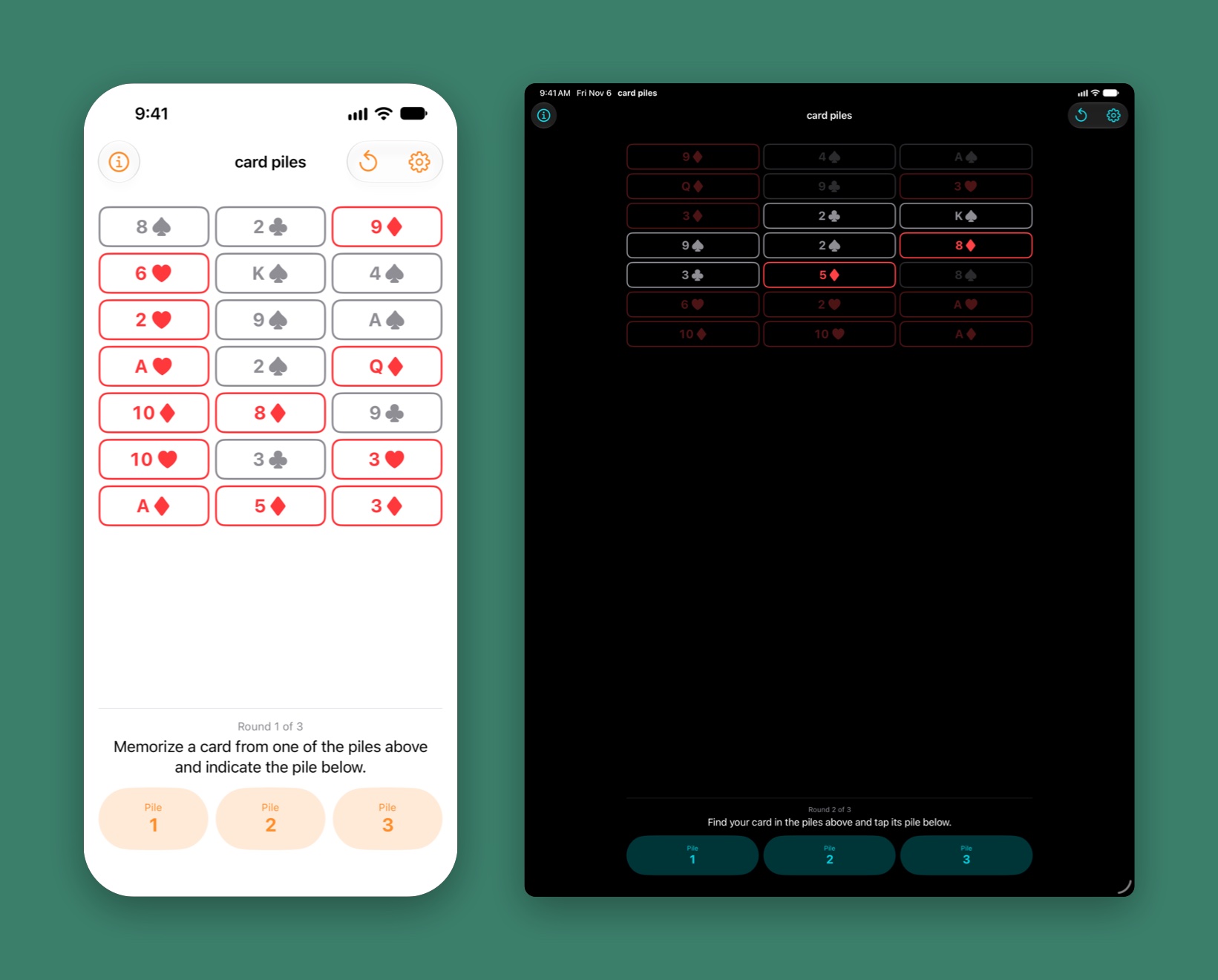
Pick any card on the screen and keep it to yourself. Tap the pile it's in. Do that three times, and card piles hands your card back to you. It's the Twenty-One Card Trick, and it works every time.
For iPhone, iPad, and Mac. Requires iOS 26, iPadOS 26, or macOS 26 or later. No ads, no account.
Inspiration
Middle school, early 1990s.
A friend showed me this trick in middle school, and I never forgot it. It looks like magic. It's actually process of elimination: lay the cards out in columns, pick up the columns with the chosen one in the middle, deal them out again, and after three rounds the card you were thinking of has nowhere left to hide but the center.
card piles is that trick, with the dealing done for you. This release rebuilds it from the ground up: a native Mac app, a new icon, a learning mode, and layouts from 15 cards to 65. Here's everything that's new.
Perform
Three questions.
One card.
Hand someone your phone and tell them to think of a card without touching it. All they have to do is answer "which pile?" three times.
1
Deal
Twenty-one cards in three piles, dealt fresh every game. A New Game button is always in the toolbar.
2
Ask
Your spectator taps the pile their card is in. card piles gathers the piles and deals them out again.
3
Repeat
Twice more. A round counter keeps the pace, and the instructions on screen say what to do next.
♥
Reveal
The other cards fall away and their card sits alone at the center. Tap it to start over.
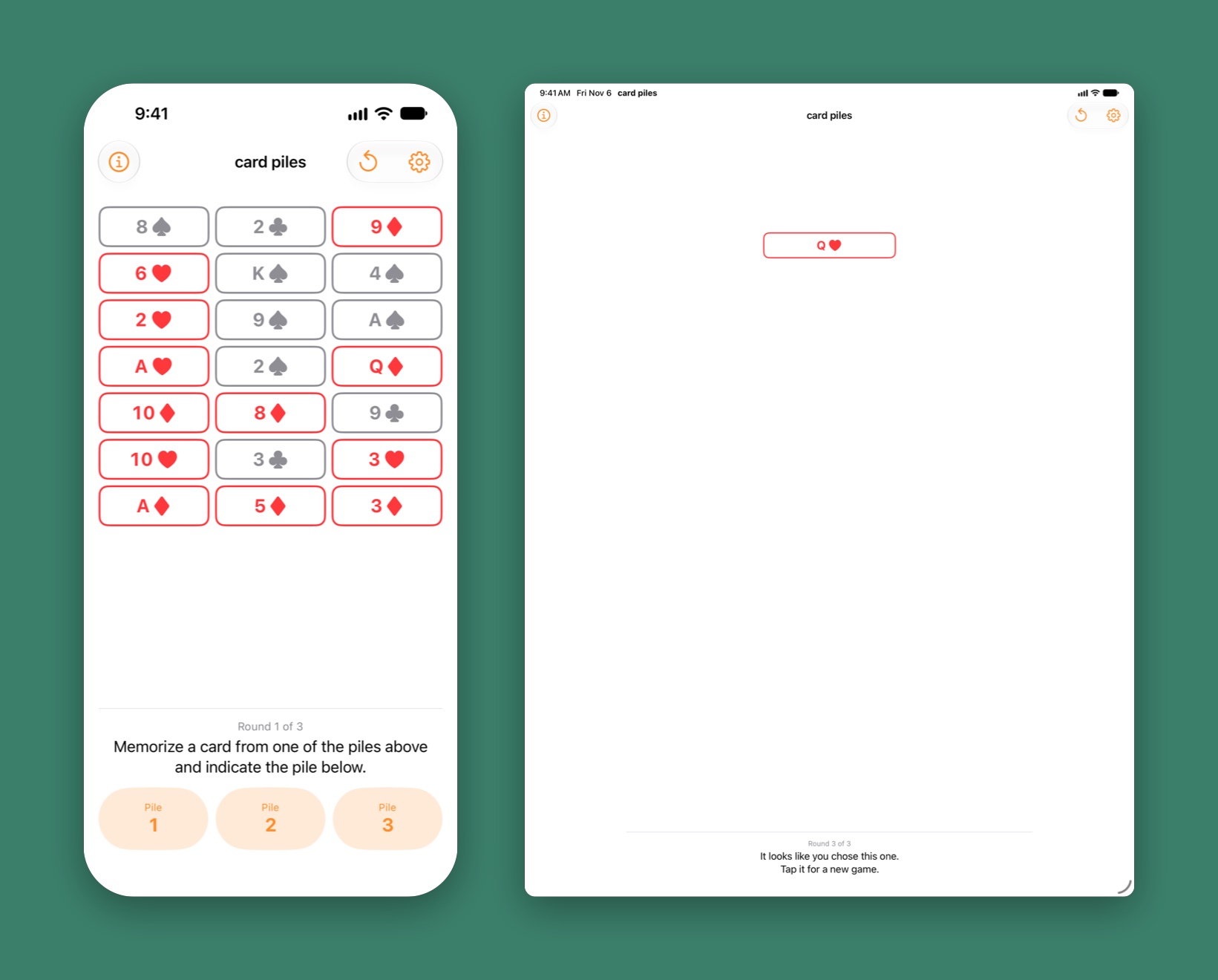
Tap-proof. If your spectator taps a card instead of a pile, nothing is given away: a hint asks them to memorize a different card and carry on.
Every card spoken. Every card and pile has a VoiceOver label, so the Ace of Clubs is read as "Ace of Clubs", not "A".
Learn
See what's ruled out.
Turn on Differentiate cards in play and the cards the trick has already eliminated are dimmed. After one round, two thirds of the layout fades. After two, the answer is the only bright card left in the middle.
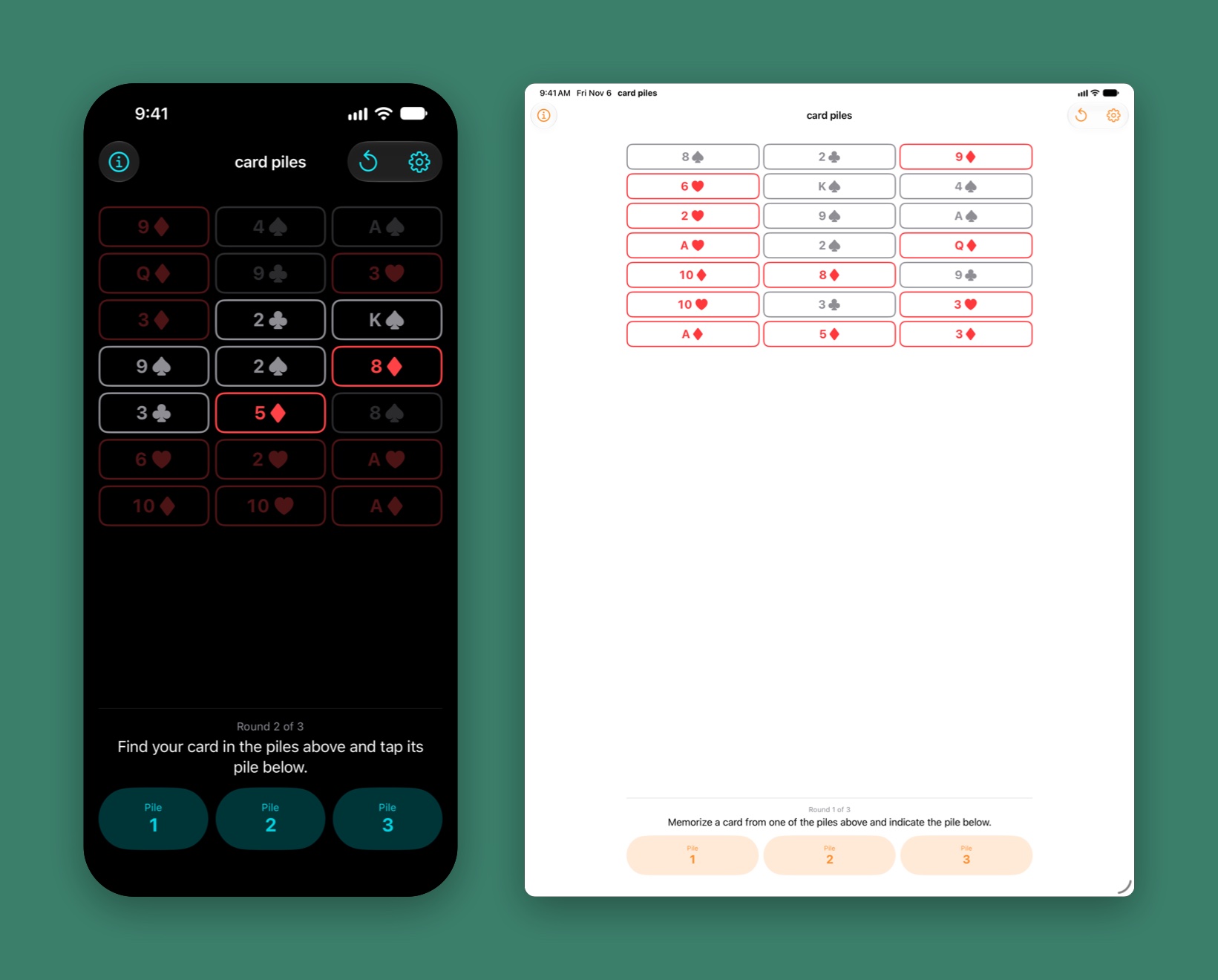
Why it works. Each round, the chosen pile goes in the middle of the stack before the cards are dealt out again. That alone squeezes the card toward the center row, and the math converges on the center for every layout card piles offers.
Off by default. The dimming is for learning the trick, not performing it. Leave it off when there's an audience.
Layouts
From 15 cards to 65.
Twenty-one is the classic, but it isn't the limit. Pick any of seven layouts in Settings, and the trick adjusts.
3 × 5
Quick
Fifteen cards, three piles. The fastest version, and the easiest to follow when you're learning.
3 × 7
Classic
The Twenty-One Card Trick as it's usually performed. The default.
5 × 13
Big
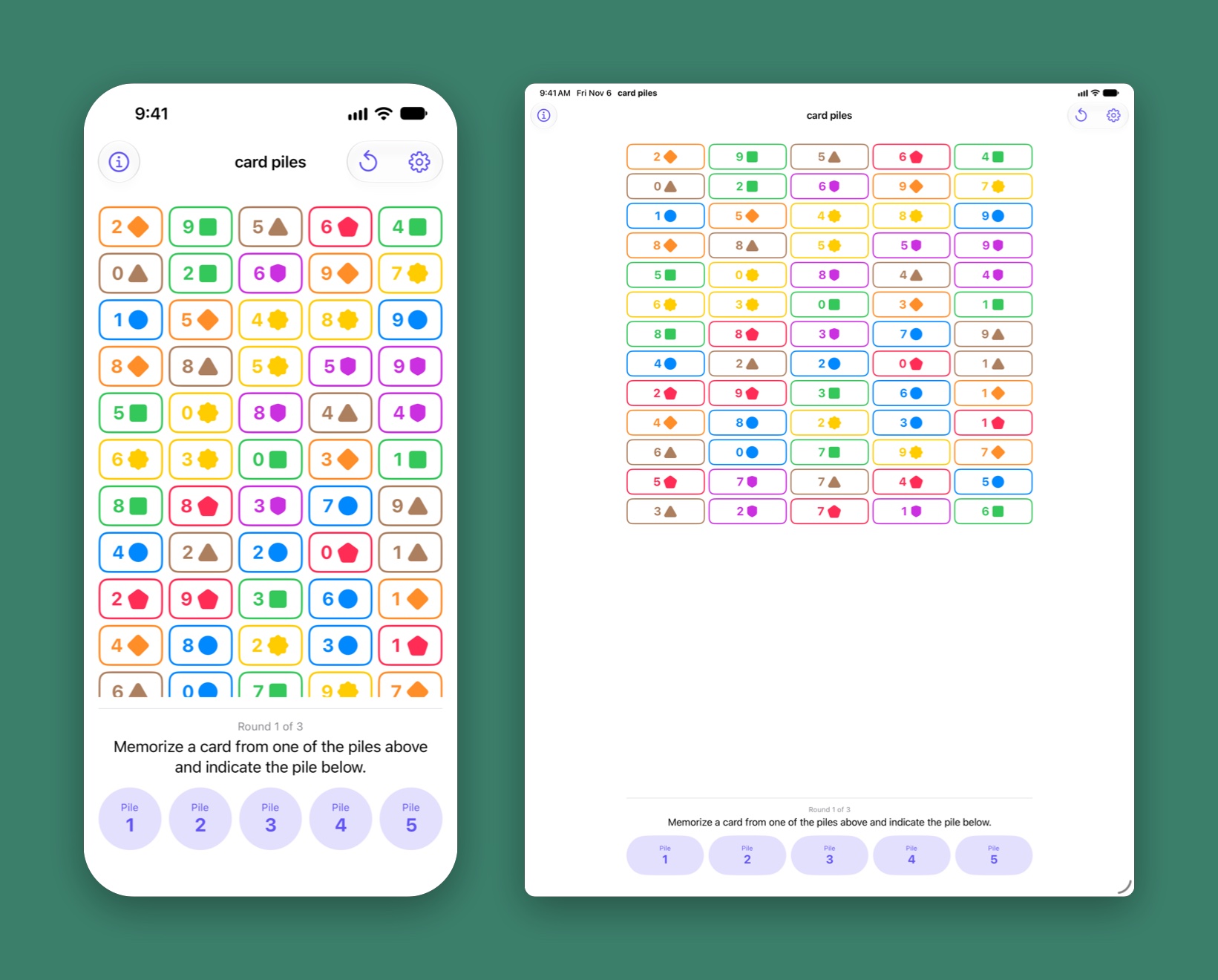
Sixty-five cards in five piles. More to scroll, more to remember, same three questions.
70
A deck of shapes
Layouts past 52 cards switch to a 70-card deck: seven colored shapes, numbered 0 to 9.
Mac
On the Mac too.
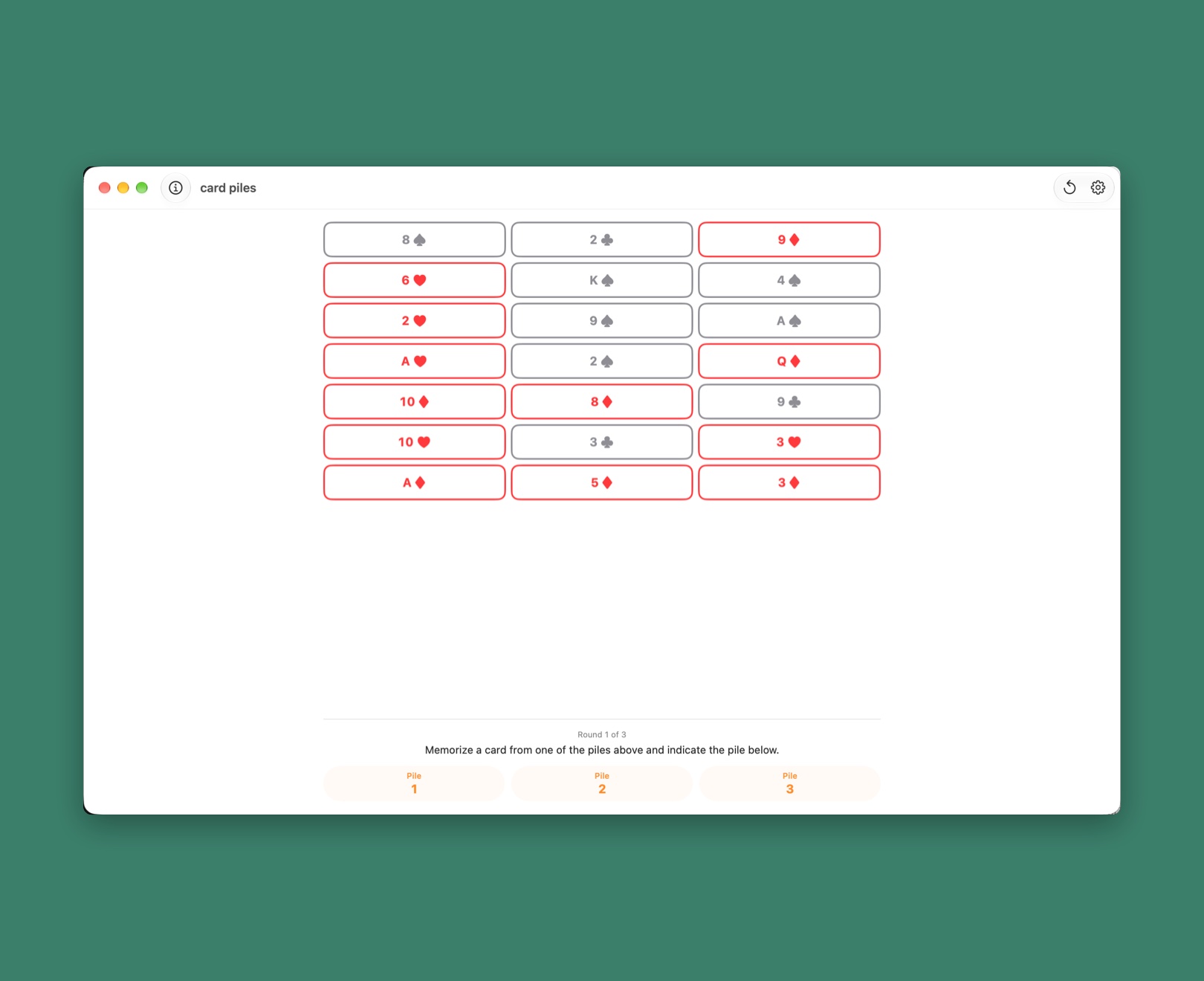
A native Mac app, not a stretched phone screen. Menus, keyboard shortcuts, and a Settings window.
Keyboard
⌘N starts a new game. ⌘, opens Settings. Both are in the toolbar too.
Help menu
Messages from the developer, the website, and a link to rate the app.
One purchase
card piles for iPhone, iPad, and Mac is a single App Store purchase.
Settings
Your colors.
Light or dark.
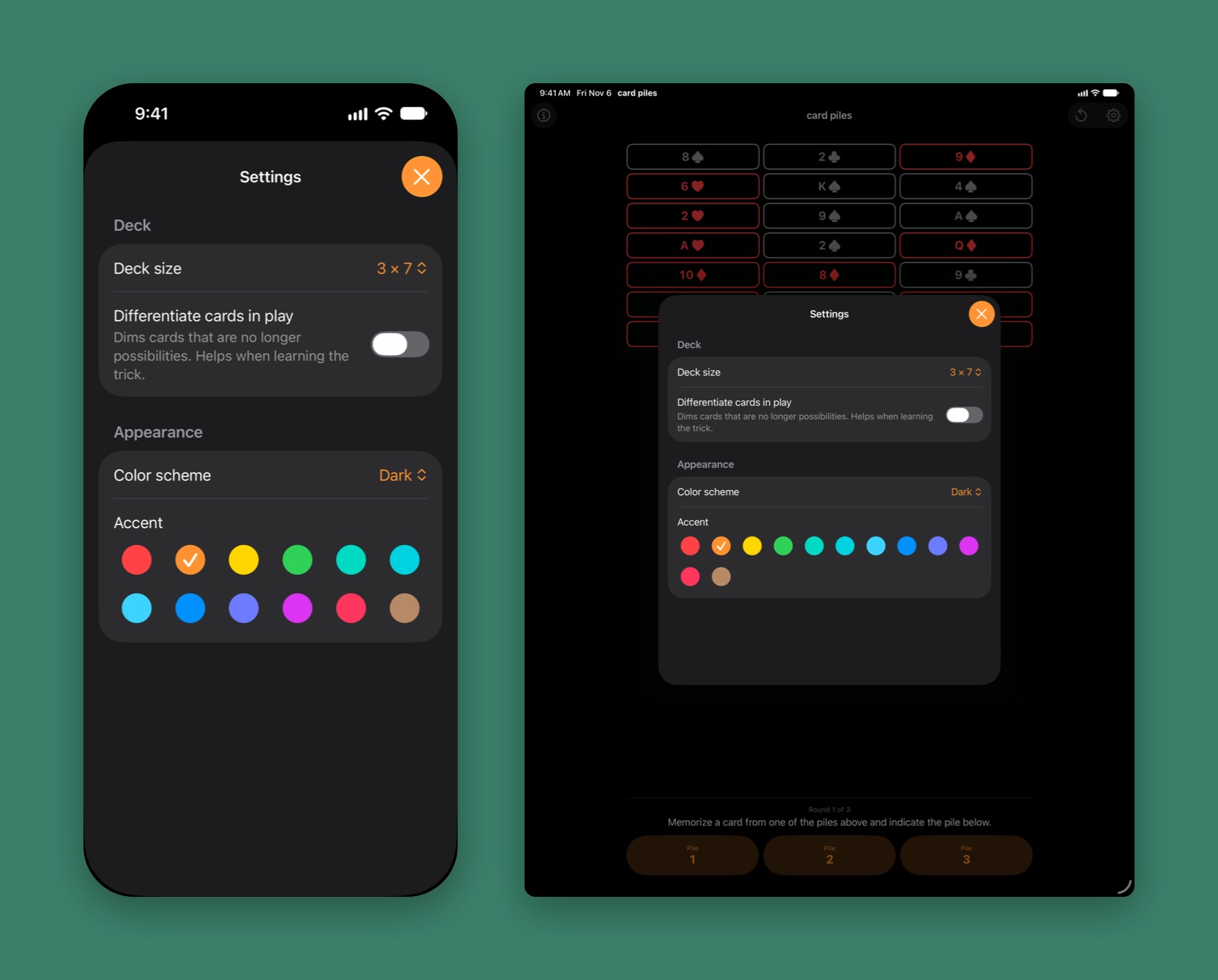
Twelve accent colors. Follow the system appearance, or pin the app to light or dark. The deck size and every setting are remembered between launches.
What's New
Rebuilt for 2026.
card piles first shipped in 2022. This release keeps the trick and replaces nearly everything around it.
Mac
A native Mac app with keyboard shortcuts, a Help menu, and a Settings window.
New icon
Three piles on green felt, with the chosen card lifted out of the middle one.
Follows the system
The app follows your appearance setting by default. Light and Dark are still there, and switching back to System now takes effect immediately.
Remembered
Deck size and your preferences survive a relaunch.
Clearer play
New Game lives in the toolbar instead of behind a hidden long press. A mistaken tap on a card shows a hint instead of an alert. Hidden pile buttons no longer respond to taps.
Accessible
Cards and piles are real buttons with VoiceOver labels, and the accent colors can be chosen with VoiceOver.
Messages
Occasional news from the developer, shown once at launch and readable any time from About.
Modern foundations
Swift 6, iOS 26 and macOS 26, and a layered Liquid Glass icon.
The details. See the release notes for the full list.
Pricing
Buy it once.
card piles is a one-time purchase on the App Store. No subscription and nothing to renew; pay once and it's yours.
Price. The price is shown on the App Store and varies by country and region. One purchase covers iPhone, iPad, and Mac under the same Apple Account.
Support an indie developer. Your purchase keeps card piles going.
Privacy
Data Collection
card piles does not collect any data. There are no accounts, analytics, ads, or tracking. Your settings stay on your device.
Messages
At launch, card piles fetches a small file of news from this website so it can show you anything new. That is an ordinary web request and carries nothing about you or your games. Which messages you've already seen is remembered on your device only.
Data Sharing
Given the above points, card piles cannot share data. card piles is a SwiftUI app and makes use of Apple's developer libraries, plus a small library of my own for the messages. These Apple libraries do not, to the best of my knowledge, collect data.
Data Retention
Since card piles does not collect data, card piles cannot retain data.
Support
There's not much that can go wrong with card piles. That said, if after restarting your device and reproducing the issue you think you've found a bug, please reach out; I don't like bugs either. See the release notes for what's changed.
Terms
Feel free to use card piles at your leisure for whatever purpose you have in mind. Here's Apple's standard EULA.
Refunds
All card piles purchases are final. I cannot issue refunds for charges to your Apple Account, but you can ask Apple to do so.
For Entertainment Only
card piles is not intended for, and should not be used for, any sort of betting. It's a card trick.