flation, rebuilt (and now on the Mac)
Friday, 23 October, 2026
⨳ 4 minute read ⨳ 957 words ⨳ SwiftData ⨳ SwiftUI ⨳ app ⨳ iOS ⨳ iPad ⨳ macOS ⨳TLDR; flation has been rewritten from the ground up, and it now runs natively on the Mac.
When I first released flation in March 2024, it did one thing: adjust an amount between two months using a single CPI series (CUUR0000SA0).
The CPI values were baked right into the app.
That kept things simple, but it meant every time BLS published a new month of data, I had to update the data, build, and push a new version through App Store review.
The changelog has 29 releases that say nothing more than “Extended CPI data.”
I was growing tired of that monthly chore; I occasionally missed a CPI data release by a day or two and only once completely missed a release (March 2026). I also wanted to see what was possible with more than one CPI series.
The timeline
I started the rewrite branch in January 2025; it’s heading to the App Store at the end of October 2026. That’s about 21 months on the calendar, but it was far from 21 months of steady work. The branch has 112 commits, and most of them landed in a few bursts.
Early 2025. The big change came first: flation started downloading CPI data directly from the BLS flat files instead of carrying it around. Alongside that came new data models and business cycle data from the National Bureau of Economic Research for marking recessions on the charts. In April I added the reference value to the converter. Then the branch sat for most of the summer while the main branch kept getting its monthly data releases.
October 2025 – February 2026. This is where the app changed shape.
- Browse: a series browser for poking through everything BLS publishes.
- In-app messages: a small feed for things like “the October 2025 CPI release was canceled.”
- Subscriptions: an annual Pro tier.
- Data subsets: you choose which BLS files to download (regional and category groups).
- Saved items: saved conversions and comparisons.
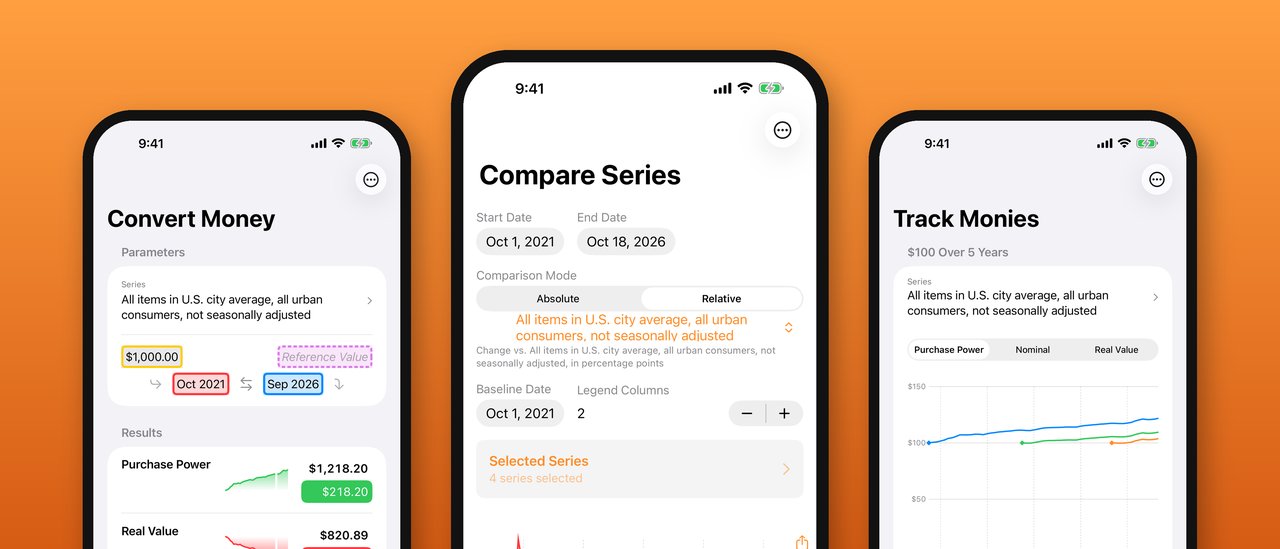
- Compare: a view for charting several series against each other.
- SwiftData: the CPI data moved into it.
March – June 2026. Nothing on the branch. The main branch got its monthly data updates, as usual.
July 2026. Storing all of those observations in one big pile made launches painfully slow; a warm launch took about 30 seconds. I reworked the data layer so each view fetches only the series it needs. Warm launch dropped to about 0.7 seconds, and nearly all of that is the network check for new BLS data. The same week I added milestones: several amounts charted against one series, each with values that can change over time. Milestones eventually became Track Monies.
September 2026. A full code review of the branch turned up a long list of subscription, data pipeline, and UI bugs; I worked through all of them. This was also when the Mac version came together (more on that below), along with:
- a new icon made in Icon Composer
- a move to Swift 6 language mode
- StoreKit’s built-in subscription screen in place of my hand-built paywall
October 2026. The finishing work:
- Tabs: Convert, Compare, Track, and Browse, each with the same ••• menu (New, Save, Saved).
- Saved: one library for conversions, comparisons, and tracker sets.
- Rolling windows: saved items that keep “the last five years” current as new data arrives.
- CSV: import and export for tracker sets.
- Free tier: an actual free tier.
- Legacy access: existing customers get Pro for life.
Going native on the Mac
flation has always been a single multiplatform SwiftUI target, so the Mac version wasn’t a port so much as a long list of “this doesn’t look right on a Mac.” A few examples:
- Sidebar: the iPhone’s tab bar becomes a sidebar on the Mac, via SwiftUI’s
Tabbuilder. - Sheets: they needed explicit sizes, and sharing goes through the native share picker.
- Storage: the Mac gets its own SwiftData store location.
- Layout: controls that look right on an iPhone stretched comically across a wide Mac window until I capped their width.
- App Sandbox: network access for the BLS downloads and user-selected file access for CSV import and export.
- Legacy check: the App Store reports the original purchase differently on macOS (the version number rather than the build number), so the check for who gets Pro for life had to account for that.
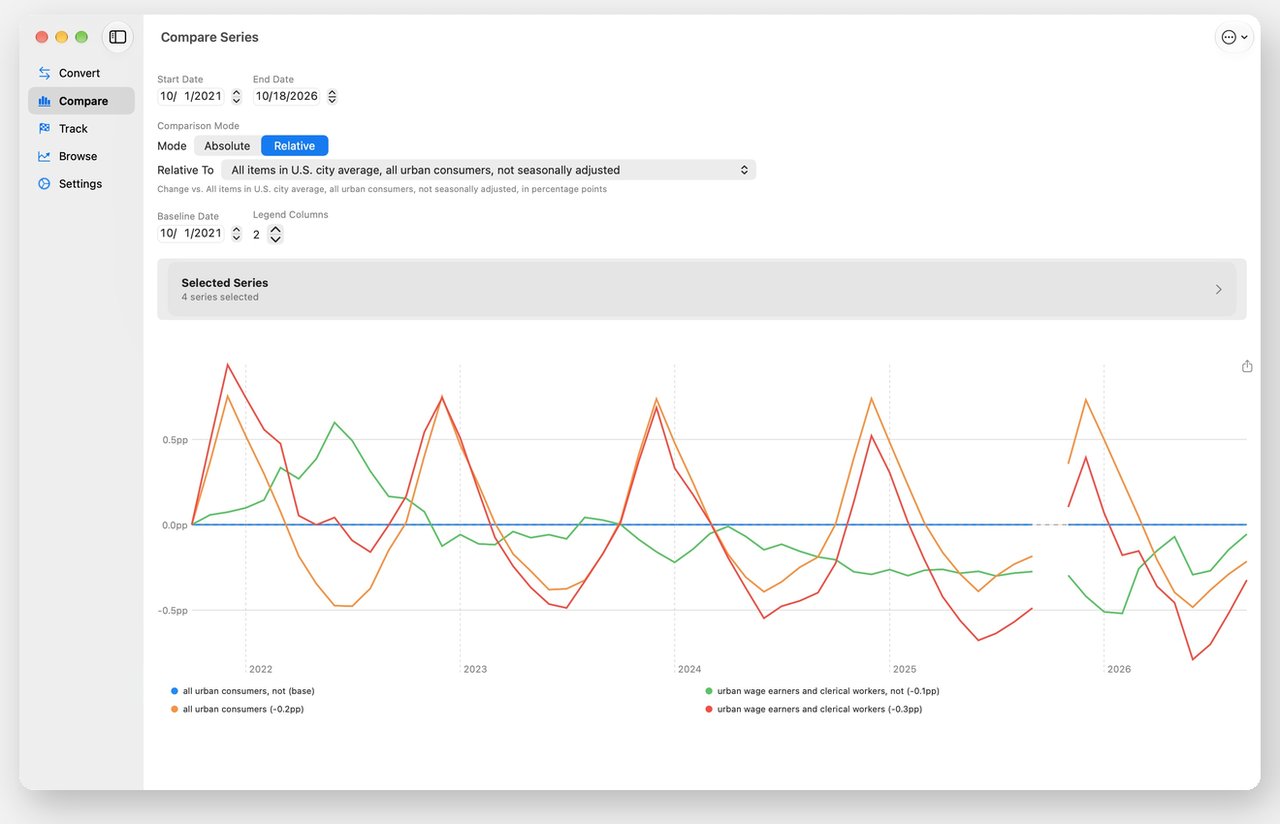
The platform-specific code lives in a small compatibility file and a couple dozen #if os(...) blocks; everything else is shared across iPhone, iPad, and Mac.
Free, Pro, and legacy
The old version was a paid app. The new version is free to download with a yearly Pro subscription.
Free:
- the four “All items, U.S. city average” series (CPI-U and CPI-W, seasonally adjusted and not)
- the latest five years of history
- export charts
- a ready-made example conversion, comparison, and tracker set
Pro:
- all Free features
- access to over 12,000 active series with their full histories
- able to customize comparisons and trackers
- finer control over charts
Legacy: anyone who purchased flation as a paid app is grandfathered into Pro for life, no subscription needed.
Help
Modern LLM coding agents were a big help along the way. I used them to:
- test out various design decisions
- wireframe and iterate on new options
- find and fix bugs, inefficiencies, and HIG violations
- script to capture device screenshots
- compile changes from git commits
The app now weighs in at just 12,000 lines of actual Swift code across 60 files.
The details are on the flation page.